
 Need help?
Do you have a question about the ZLAN 1003 and is the answer not in the manual?
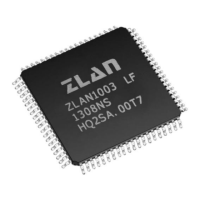
Overview of ZLAN1003/ZLAN1043/ZLAN1043N chips for IoT, UART to TCP/IP transformation.
Visual representation of the ZLAN1003 chip's internal structure and interfaces.
Details the integrated hardware and software capabilities of the ZLAN1003 series.
Lists key benefits like zero software development, rich IOT functions, and no external MCU.
Guide to selecting ZLAN models and their target applications.
Details designs with and without integrated network transformers, including ZLSN3003S and SNMP card.
Covers speed selection, voltage supply, power reduction, and PCB layout guidelines.
Guide on installing ZLVircom, parameter configuration, and communication tests.
Instructions on accessing and configuring device parameters via a web browser.
Details how to use virtual serial port mode for software compatibility with COM ports.
Covers various direct TCP/IP modes like Client, Server, UDP, and Pair-Connection.
Instructions for physical connection, TCP connection, and interpreting link/data indicators.
Using ZLVircom to monitor virtual serial port data for debugging.
How to configure Modbus gateway, storage, and disable storage functions.
Details on enabling multi-host support and configuring related parameters.
Defines register packages for identifying devices in IoT, including MAC address and custom formats.
Discusses heartbeat packets for detecting link status and maintaining TCP connections.
Steps to enable transcoding by creating and downloading the httpd.txt config file and its use cases.
Realizes device search and parameter modification via Ethernet using UDP protocol.
A library for integrating device management functions into user software.
Allows reading and setting serial port parameters via serial port instructions.
Using ZLVircom for remote maintenance, including restarting and firmware upgrades.
 General
| Brand | ZLAN |
|---|---|
| Model | 1003 |
| Category | Control Unit |
| Language | English |

 To Next Page
