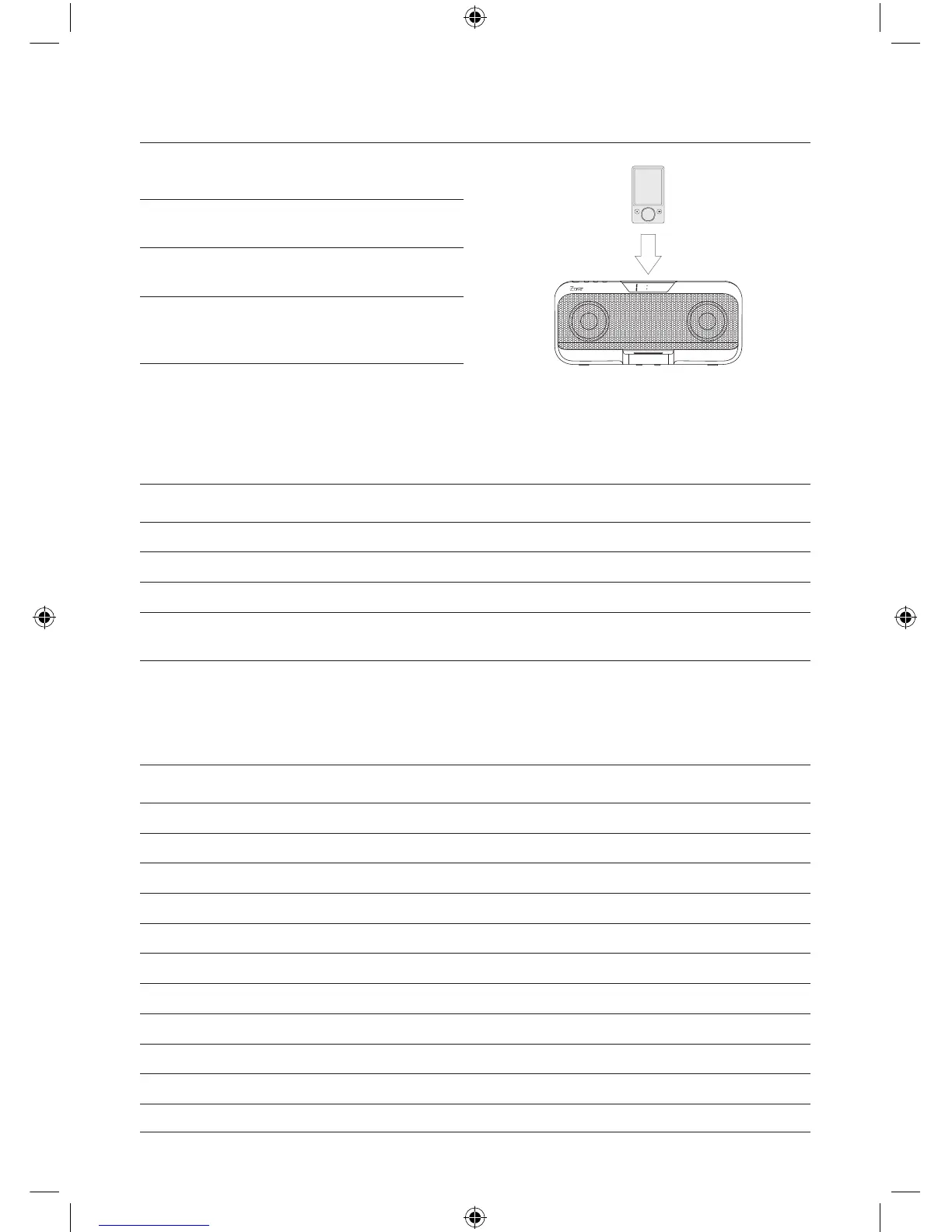
Docking a Zune onto the Unit
Step 1: Match the Zune’s dock connector
with the dock connection on the unit.
Step 2: The Zune should be facing the same
direction as the unit.
Step 3: Slide the Zune onto the unit’s dock
connection.
Step 4: Audio played from the Zune will
now be heard through the speakers
of the unit.
Playing a Docked Zune
Step 1: Connect a Zune to the Docking Station.
Step 2: Press the Power Button to turn the unit on.
Step 3:
Press the Play/Pause Button on the remote to begin playing the docked Zune.
Step 4: Press the Volume Buttons to increase or decrease the volume of the unit.
Step 5:
Press the Skip Up and Skip/Search Buttons to skip tracks. Press and hold the Skip Up and
Skip/Search Buttons to search through individual tracks.
Setting the Clock
Step 1: Press and hold the Power Button to turn the unit off.
Step 2: Press the EQ/Clock Button twice.
Step 3: Press the Clock Set Button to adjust the month.
Step 4: Press the EQ/Clock Button to set the selected month.
Step 5: Press the Clock Set Button to adjust the date.
Step 6: Press the EQ/Clock Button to set the selected date.
Step 7: Press the Clock Set Button to adjust the hour.
Step 8: Press the EQ/Clock Button to set the selected hour.
Step 9: Press the Clock Set Button to adjust the minute.
Step 10: Press the EQ/Clock Button to set the selected minute.
Step 11: Press the Clock Set Button to activate the clock.


 To Next Page