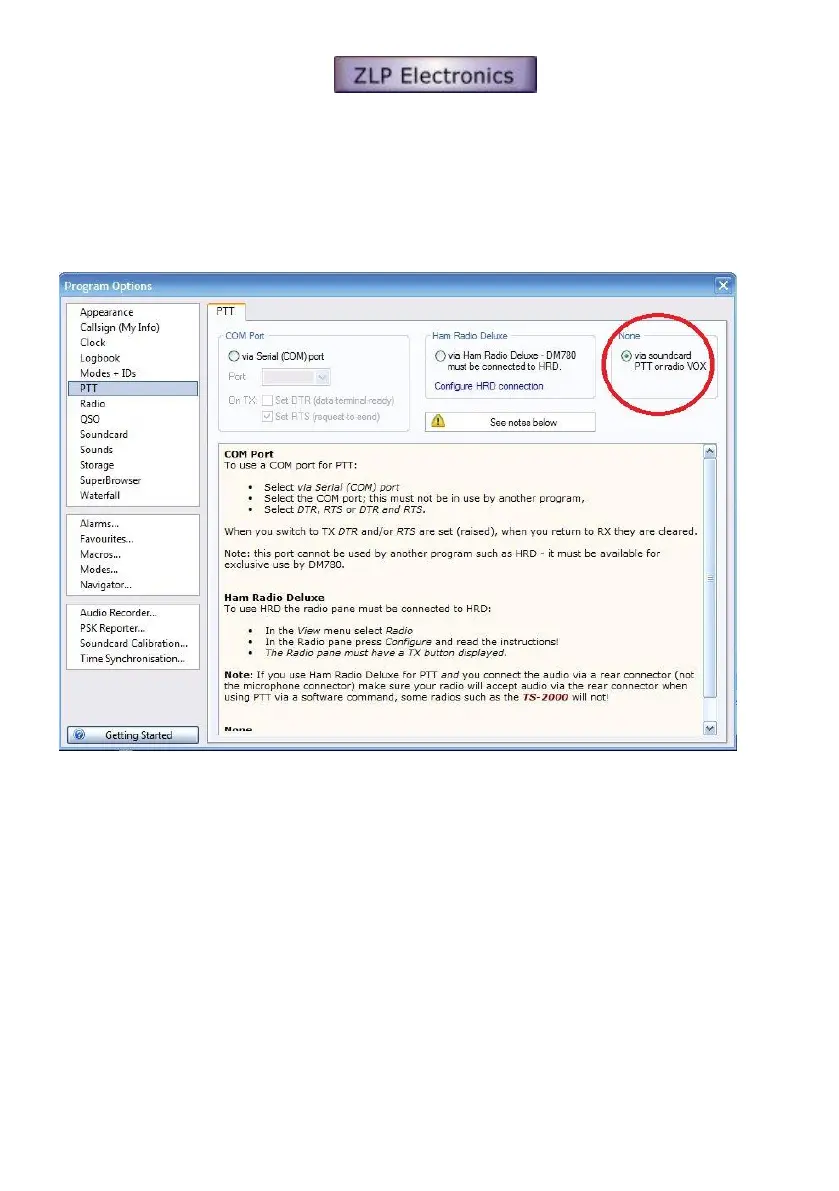
[2] Configure DM780 to allow the soundcard to activate the radios PTT.
Open DM780’s program option window (F8).
In the PTT “None” section, select;-
Select “via soundcard PTT. The interface will automatically generate the PTT signal.
DO NOT ACTIVATE YOUR RADIOS VOX. The PTT is generated by the interface and to avoid unexpected results it is
important that you turn your radios vox off.



 To Next Page