EasyManua.ls Logo

ZLP Electronics MiniProSC - User Manual

ZLP Electronics MiniProSC
12 pages
Print Icon
To Next Page IconTo Next Page
Loading...
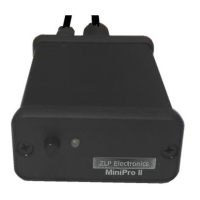
MiniProSC
Hi performance Digital DATA mode interface
Built in hi quality low noise Texas Instruments USB audio codec.
Compatible with ALL afsk DATA modes and ALL afsk DATA software.
Question and Answer IconNeed help?

Do you have a question about the ZLP Electronics MiniProSC and is the answer not in the manual?

Summary

MiniProSC Installation Guide

USB Connection and Driver Installation

Steps for connecting the interface to a powered USB port and automatic driver setup.

Radio Data Cable Connection

Connecting the interface's DATA socket to the radio's DATA/Acc socket.

Software Configuration and PTT Setup

Adjusting Audio Input;Output Levels

Setting Software Drive Levels

Adjusting input and output levels within your data mode software.

Windows Sound Level Settings

Adjusting Playback (Output) Levels

Configuring speaker output levels through Windows sound playback properties.

Adjusting Recording (Input) Levels

Configuring microphone input levels through Windows sound recording properties.

Microphone Input Level Adjustment

Output Level and Channel Configuration

Final Output Adjustment and TX Tuning

Optimizing Radio TX Power

Adjusting drive levels to set radio power output and prevent overdriving.

Troubleshooting Common Problems

ZLP Electronics MiniProSC Specifications

General IconGeneral
BrandZLP Electronics
ModelMiniProSC
CategoryRecording Equipment
LanguageEnglish

Related product manuals