Installing the MiniProSC
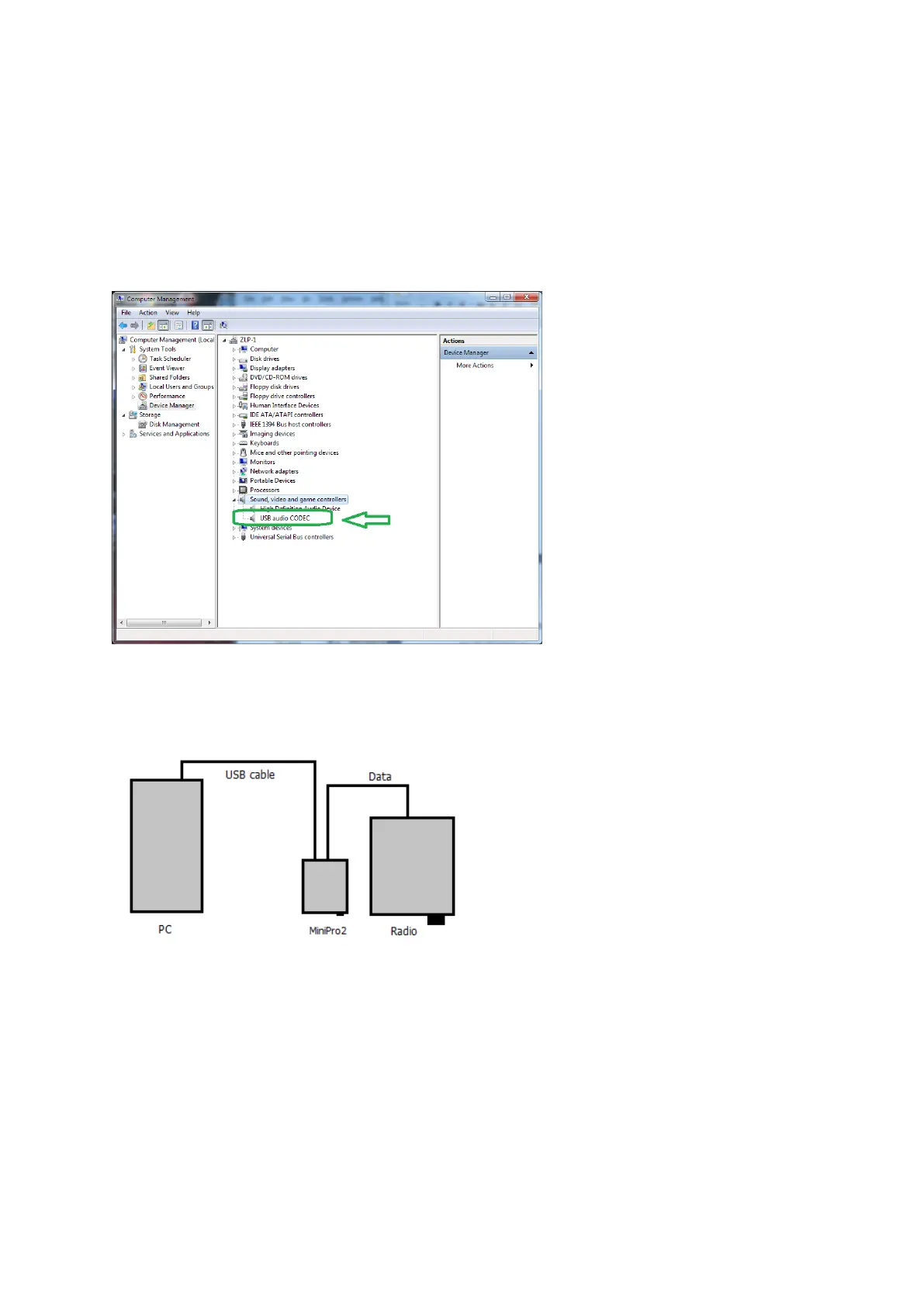
Simply plug in to the rear of the interface and into a powered USB port, if you use a hub ensure that
it is a powered hub. Windows will detect and automatically install the drivers for the Texas
Instruments Audio Codec chip.
If you wish, you can view the audio codec entry in device manager;-
Connect the DATA lead into the interface 6 pin DATA socket, and connect the other end into the
radios DATA/Acc socket.
Installation is now complete.
The interface is now ready to operate with your DATA software and the only configuration you need
to do is to select the USB codec / soundcard, and adjust your I/O levels in your software. PTT is
controlled automatically by the interface.


 To Next Page