Configuring your software.
To configure your software to use the Interface you simply select the appropriate audio codec as the
soundcard device to use. If you have more than one interface with audio codec Windows will number
them for you. You do not need to configure anything for the PTT as the interface will generate PTT
automatically for you whenever your software generates tones for transmission.
Note: The interface can be used with ANY afsk data mode software and so your software may look
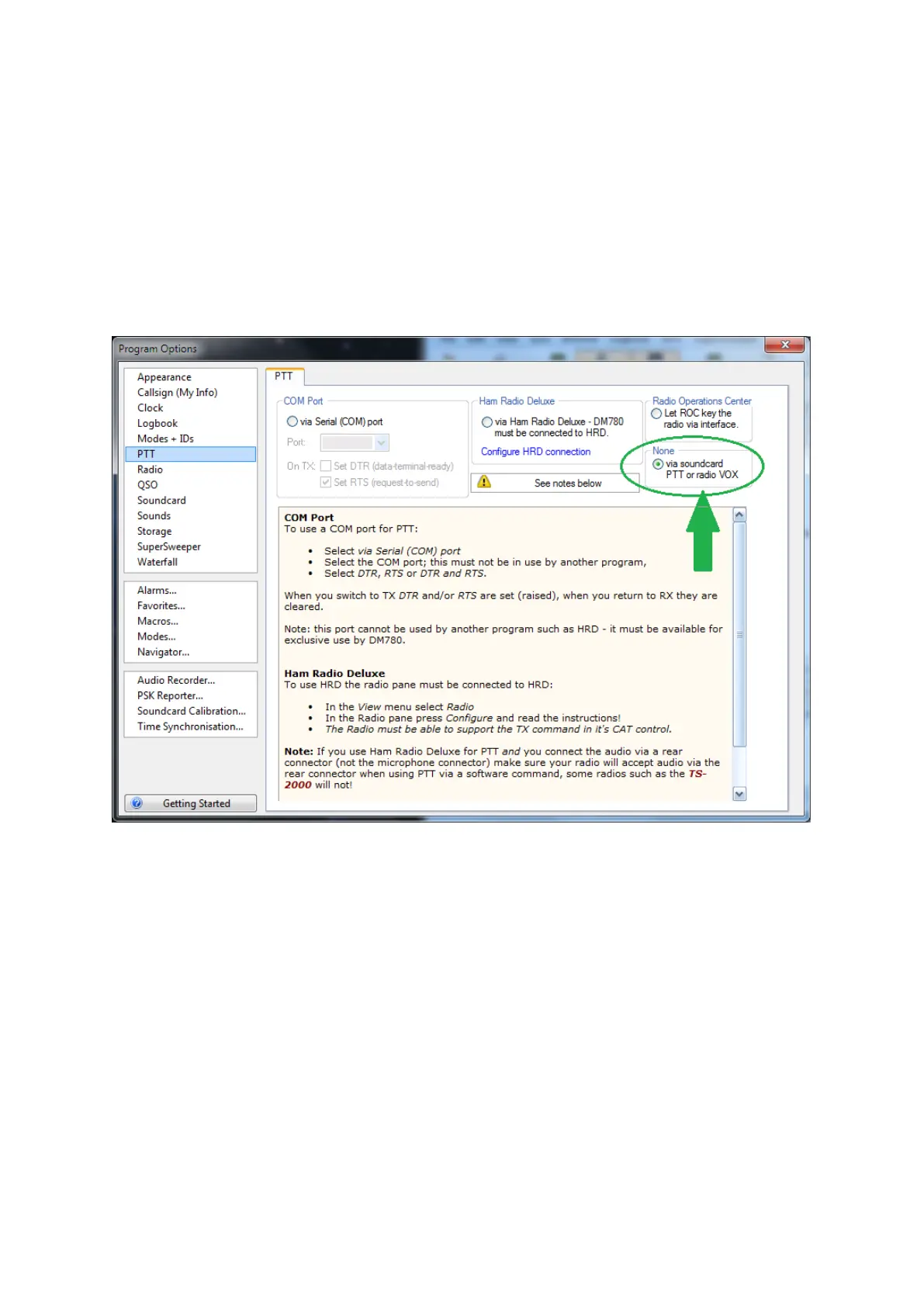
different but the following window is the one you would see if you use HRD’s DM780 software.
Example using HRD’s DM780 software;
PTT. IN DM780’s PTT configuration you simply select “None-or via Soundcard”


 To Next Page