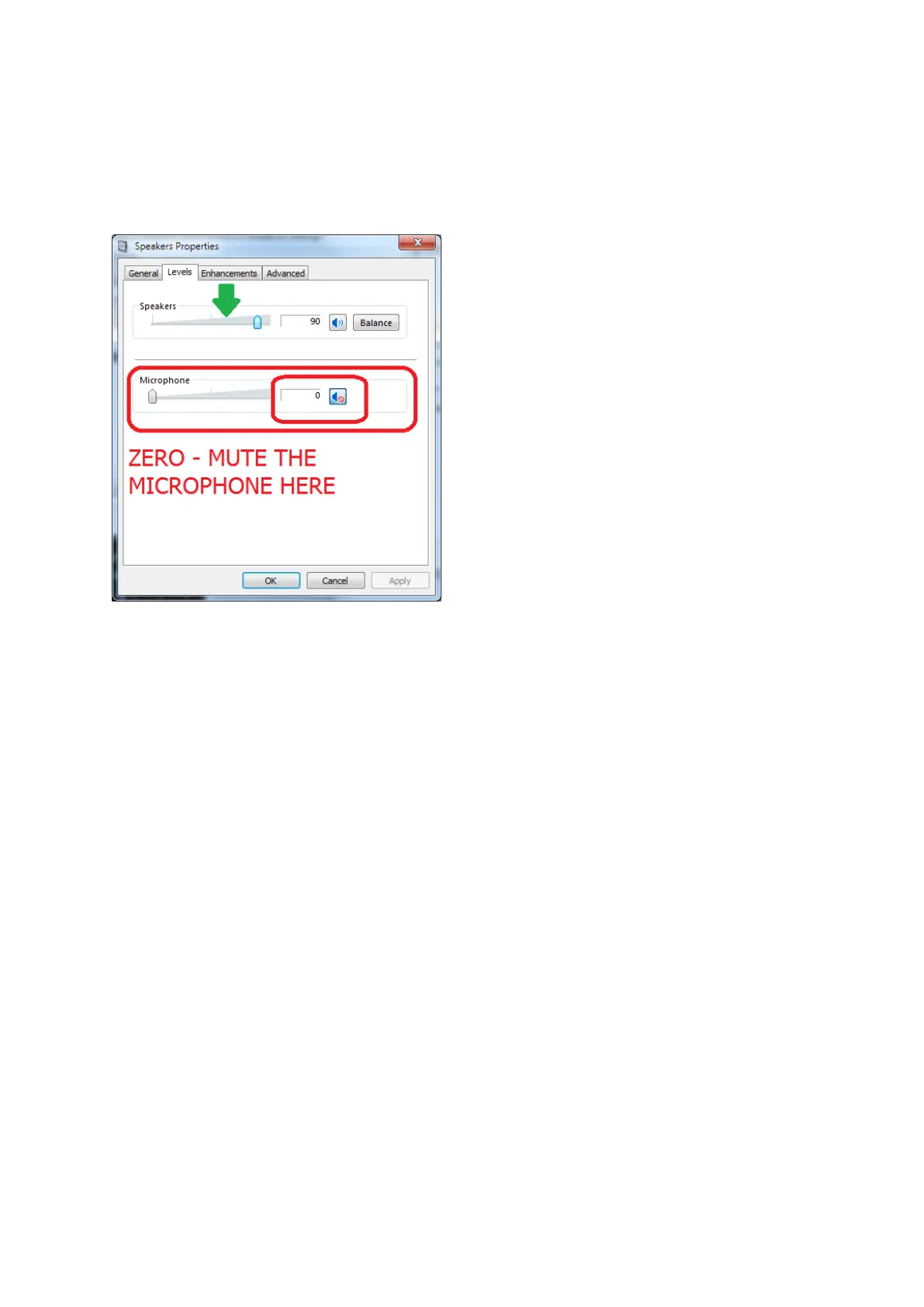
Select the “Levels” Tab;
Adjust the Speakers as appropriate, normally set to 90-100%
IMPORTANT TO MUTE the Microphone here, this is NOT the same microphone used for input. This
microphone is used to sample the output from the speakers and you may not achieve correct results
if you do not mute this input.
DONE
When using DATA interfaces, many users (mistakenly) set the power output on the radio and
overdrive the radio with a strong signal from the DATA interface and end up with a poor TX signal or
high ALC...
An easy way to set and get a good TX signal is as follows;
[a] Set your radio’s power control to maximum.
[b] Adjust the Windows drive level using Windows volume control, adjusting the drive level will set
your radios power output. Aim to adjust the level bearing in mind that 10 or 20 watts is often more
than adequate.


 To Next Page