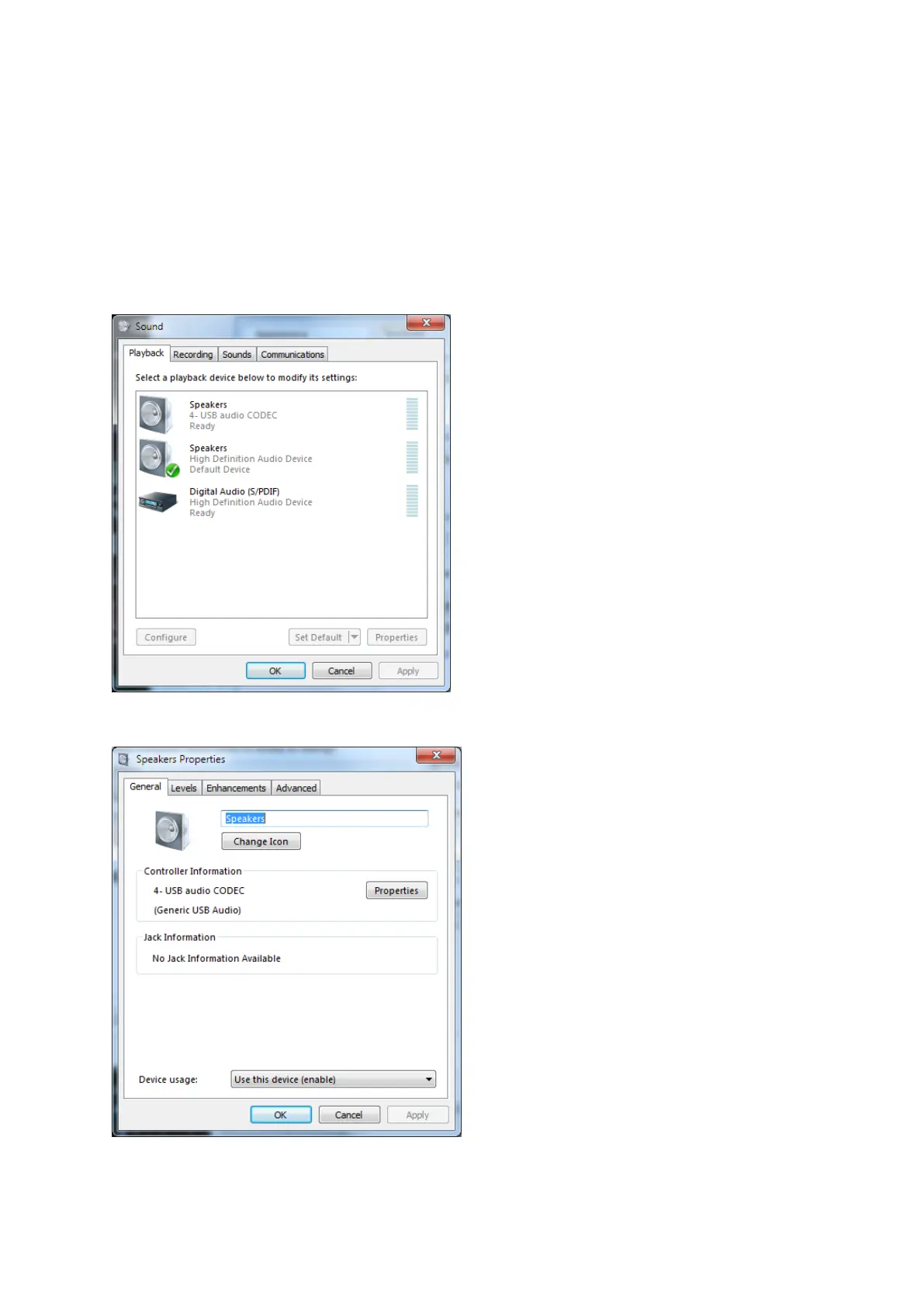
To adjust the OUTPUT level
Note that the PTT is derived from the right hand channel and that the Audio-DATA is derived from
the left hand channel. Reducing the output level too far may result in unreliable PTT.
If you need to reduce the drive level to such an extent that PTT becomes unreliable; then you should
instead, reduce the drive level by use of the balance control. Adjust the right channel to max (and so
maintain reliable PTT operation) and set the audio drive level via the left channel.
DO NOT APPLY any enhancements. To operate DATA modes the audio should be “flat”.
Click the button “...” under the OUTPUT Device;
Double click the “Speakers” (audio-codec)


 To Next Page