EasyManua.ls Logo

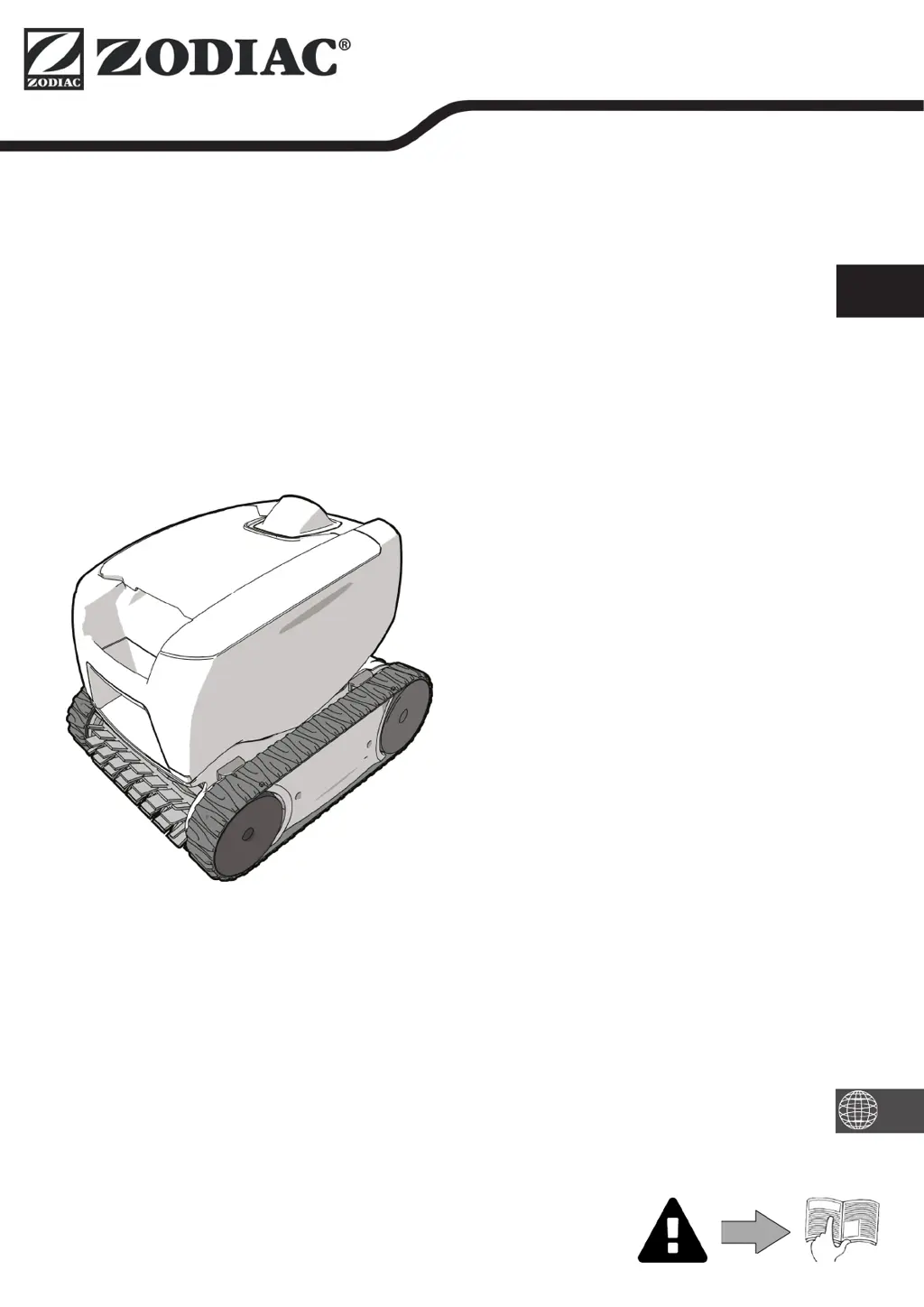
Zodiac TornaX Genius - User Manual

Zodiac TornaX Genius
19 pages
Print Icon
To Next Page IconTo Next Page
Loading...
Installaon and user manual - English
Electric cleaner
Translaon of the original instrucons in French
H0575900_REVC - 2019/12 - EP11 --
More documents on:
www.zodiac.com
TornaX
Genius
EN

Questions and Answers

  • S
    Steven WilliamsAug 13, 2025
    Why is my Zodiac Swimming Pool Cleaner not climbing the walls?
    • U
      uruizAug 13, 2025
      If your Zodiac Swimming Pool Cleaner isn't climbing the pool sides like it used to, several factors could be at play. The filter might be full or dirty and needs a simple cleaning. Alternatively, the filter could be clogged, requiring cleaning with an acidic solution like spirit vinegar, or possibly replacement. Microscopic algae, even in seemingly clear water, can also be the culprit. In this case, shock chlorination and a slight pH reduction are recommended. Remember to remove the cleaner during shock treatment.
  • T
    Travis MartinAug 16, 2025
    Why Zodiac Swimming Pool Cleaners robot does not climb the walls?
    • A
      Amber ColemanAug 16, 2025
      If your Zodiac Swimming Pool Cleaner isn't tilting upwards to climb walls, check the brush for wear, using the wear indicators as a guide, and ensure it's properly attached to its support. Replace the brush if needed. If your pool has tiles with a right angle between the floor and walls, the brush might need adaptation; contact your retailer for assistance.
  • A
    April BartlettAug 20, 2025
    Why Zodiac Swimming Pool Cleaners climbs the walls slowly?
    • E
      Erica HutchinsonAug 20, 2025
      The cleaner may behave differently depending on the lining of the pool. A parameter may require changing. To do this, contact your retailer.
  • G
    Gregory DanielAug 25, 2025
    How to stop my Zodiac Swimming Pool Cleaners cable from tangling?
    • J
      Julie LewisAug 25, 2025
      If the cable of your Zodiac Swimming Pool Cleaners is tangling, consider these solutions: Ensure as much of the floating cable as possible is in the water. Try stopping the filter pump and starting a new cleaning cycle. Position the control box halfway along the pool's length, adhering to safety guidelines. If cleaning remains suboptimal, experiment with the control box location and the cleaner's entry point into the pool.
  • W
    wagneramyAug 28, 2025
    What to do if Zodiac Swimming Pool Cleaners has flashing LED?
    • C
      Carol HansenAug 28, 2025
      A flashing LED on your Zodiac Swimming Pool Cleaner indicates a few potential issues. First, ensure the cleaner is correctly connected to the control box, unplugging and reconnecting if necessary. Check that nothing is preventing the brush and support from turning by removing the tracks and manually rotating the wheels to check for obstructions. Make sure you start the cleaner when it is in the water. Inspect the propeller for stones or hair, cleaning or changing the filter if needed. If the control box is overheating, move it to a shaded area and allow it to cool. The issue could also be a general cleaner surge current or the cleaner being stuck; in these cases, refer to the solutions for flashing indicators No. 2 and No. 3.
  • S
    sandrareevesSep 1, 2025
    Why Zodiac Swimming Pool Cleaners moves forward not flat on the floor?
    • B
      Brittany Crosby DVMSep 1, 2025
      If your Zodiac Swimming Pool Cleaner isn't staying flat on the floor while moving forward, here's what you can check: There may be air trapped in the casing; repeat the immersion process. The filter might be full or dirty, requiring a simple cleaning. Finally, the propeller could be damaged, in which case you should contact your retailer.
  • R
    Rebecca SheaSep 4, 2025
    What to do if Zodiac Swimming Pool Cleaners does not move on start-up?
    • H
      hstoutSep 4, 2025
      If your Zodiac Swimming Pool Cleaner isn't moving when you start it, verify that the outlet to which the control box is connected is receiving power. Also, make sure that the cleaning cycle has been initiated and the indicator light is illuminated.
  • V
    Vanessa SpearsSep 8, 2025
    Why Zodiac Swimming Pool Cleaners control box does not respond?
    • T
      Tina ArmstrongSep 8, 2025
      If the control box of your Zodiac Swimming Pool Cleaners isn't responding, unplug the cable from the mains socket, wait 10 seconds, and then plug it back in.

Summary

Specifications

1.1 Description

Details the cleaner's components and supplied accessories.

1.2 Technical specifications and parts list

Lists technical data and identifies all parts of the cleaner.

Installation

2.1 Set-up

Provides instructions for the initial placement and connection of the cleaner.

2.2 Attachment to the base

Guides on how to attach the cleaner unit to its designated base.

Use

3.1 Operating principle

Explains the fundamental working mechanism of the pool cleaner.

3.2 Pool preparation

Outlines necessary steps to prepare the pool environment for operation.

3.3 Immersing the cleaner

Step-by-step instructions for placing the cleaner into the pool water.

3.4 Electricity supply connections

Details on safely connecting the cleaner to the electrical power source.

3.5 Starting the cleaning cycle

Procedures for initiating the automated cleaning process.

3.6 Ending the cleaning cycle

Instructions for safely stopping and removing the cleaner from the pool.

Maintenance

4.1 Cleaning the cleaner

Guidelines for routine cleaning of the appliance's exterior.

4.2 Cleaning the filter

Instructions on cleaning the debris filter to maintain performance.

4.3 Cleaning the propeller

Steps to remove debris that may obstruct the propeller.

4.4 Replacing the brush

Guidance on replacing worn brush components.

4.5 Replacing the tracks

Instructions for replacing the cleaner's drive tracks.

Troubleshooting

5.1 Appliance behaviour

Explains common operational issues and their solutions.

5.2 User alerts

Interprets flashing LEDs and alerts for user action.

Zodiac TornaX Genius Specifications

General IconGeneral
Tank Capacity600 ml
Frequency42 kHz
Power50 W
TypeUltrasonic Cleaner
Voltage220-240 V

Related product manuals