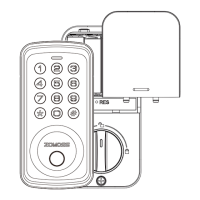
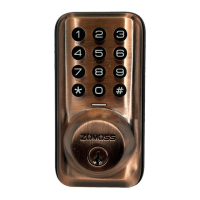
This document describes the ZOMOSS DZS01 smart lock, providing comprehensive installation instructions, programming guidelines, and troubleshooting tips. The lock is designed to enhance home security with various access methods and customizable settings.
Function Description
The ZOMOSS DZS01 is a smart deadbolt lock that offers multiple ways to secure and access your door. Its primary function is to provide keyless entry through a keypad, allowing users to set up master codes and user codes. The lock also supports a physical key override for emergency access or when batteries are depleted. It features an auto-lock function, which automatically extends the deadbolt after a set period, and a silent mode to mute keypad beeping sounds. A vacation mode is available for enhanced security when the home is unoccupied for extended periods, restricting all user codes, backup keys, and inside knob turning until the master code is entered. The lock is designed for easy installation and includes a door handing process to detect door orientation, ensuring correct operation.
Usage Features
The ZOMOSS DZS01 offers a range of features to enhance user convenience and security:
- Keypad Entry: Users can unlock the door by entering a master code or a user code on the keypad, followed by the '#' button. To lock the door, users can either rely on the auto-lock mode (if enabled) or press any key on the keypad for 2 seconds in manual mode.
- Master Code Management: The lock comes with a default master code (12345678) that must be changed before programming other settings. The master code is essential for programming the lock, setting features, and unlocking the door.
- User Code Management: Up to 20 sets of user codes (regular and temporary) can be created. User codes can be added, deleted, and are typically 4-10 digits long. The system prevents the use of simple, sequential, or repeating number patterns for codes, enhancing security.
- One-Time Codes: A unique feature allows for the creation of one-time codes that are automatically deleted after a single use, ideal for temporary access.
- Auto-Lock Function: This feature automatically locks the deadbolt 30 seconds after unlocking. It can be enabled or disabled and its time delay can be adjusted between 10 and 99 seconds.
- Silent Mode: For discreet operation, the beeping sound of the keypad can be muted. However, motor turning and programming beeps will still be audible. This mode can be enabled or disabled.
- Wrong Entry Limit: The lock has a default setting of 10 wrong entry attempts before a temporary lockout, preventing unauthorized access attempts.
- Fake Code (Anti-Peep Function): To prevent pin code exposure from onlookers, users can enter random digits before or after their actual pin code. The lock will still recognize the correct sequence within the longer string of numbers.
- Vacation Mode: When activated, this mode restricts all user codes, backup keys, and inside knob turning. The lock will sound an alarm with a red flashing light if an attempt is made to unlock it without the master code.
- Physical Key Override: In situations where batteries are completely dead or a valid user code is unknown, a physical backup key can be used to unlock the door. It is crucial to keep a copy of this key in a secure location outside the home.
Maintenance Features
Proper maintenance ensures the longevity and optimal performance of the ZOMOSS DZS01 lock:
- Battery Indicator: The lock provides a clear indication when batteries are low. If 10 red flashes appear after pressing any key or locking/unlocking the door, it's time to replace the batteries.
- Battery Replacement: It is recommended to replace all 4 AA alkaline batteries with new ones simultaneously. Mixing old and new batteries or using rechargeable batteries is not recommended for best performance. All settings are retained in memory when batteries are removed and replaced.
- Cleaning: The lock should be cleaned regularly. However, it is important not to apply cleaner or detergent directly to any part of the lock.
- Environmental Considerations: The ZOMOSS DZS01 meets IP54 water-resistance standards, meaning it can withstand water splashes. However, it should not be submerged in water or exposed to liquids getting into the lock. Prolonged exposure to direct sunlight should also be avoided as it may damage the lock. The optimal operating temperature range is between -4°F to 129°F.
- Security Checks: Users should routinely check the lock's interior assembly and settings to ensure they have not been altered without their knowledge, maintaining the security of their home.
- Factory Reset: The factory reset process is crucial for troubleshooting and re-handing the door. It deletes all user codes and restores default settings, allowing for a fresh setup. This process involves keeping the door open and unlocked, pressing and holding the reset button while reinserting a battery, and continuing to hold until the latch automatically extends.

 Need help?
 General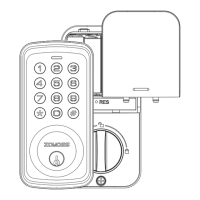

 To Next Page