50036-1 | Zona Plus
TM
Series 2 - User’s Guide | Page 6 | ©2012-2013
Set Your Maximum Squeeze Level In Each
Hand (Steps 1 and 2):
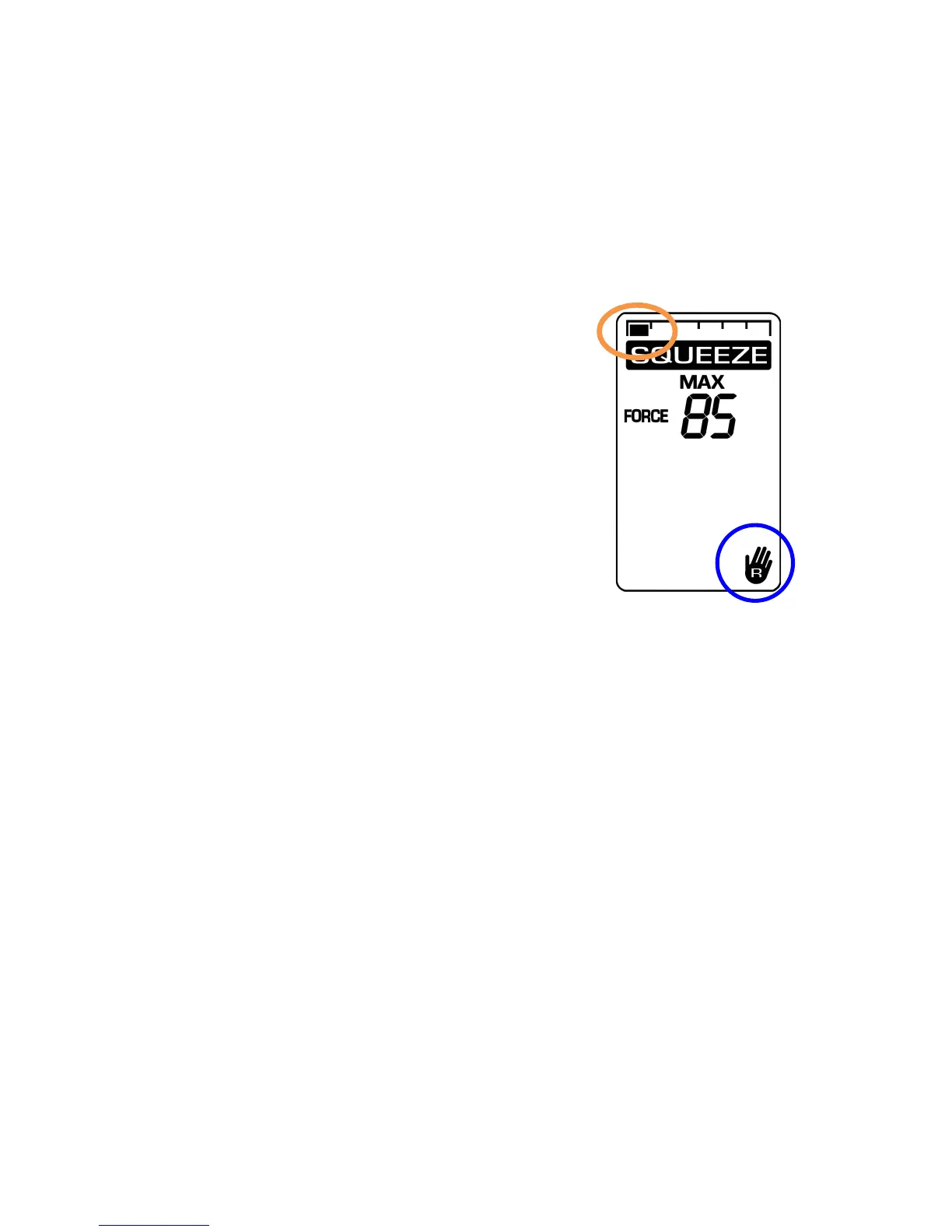
Step 1: Right Hand – Maximum Squeeze
• Place the device (as shown on page 5) in your right
hand.
• The 1
st
progress bar (circled)
at the top of the screen will show
that you are now on Step 1 of the
therapy session.
• Squeeze as hard as you can for
1-2 seconds with your right hand;
then relax.
• Rest for 10 seconds (the screen will
show REST and a 10-second
countdown). The device screen will inform you when to
move onto the next step.


 To Next Page