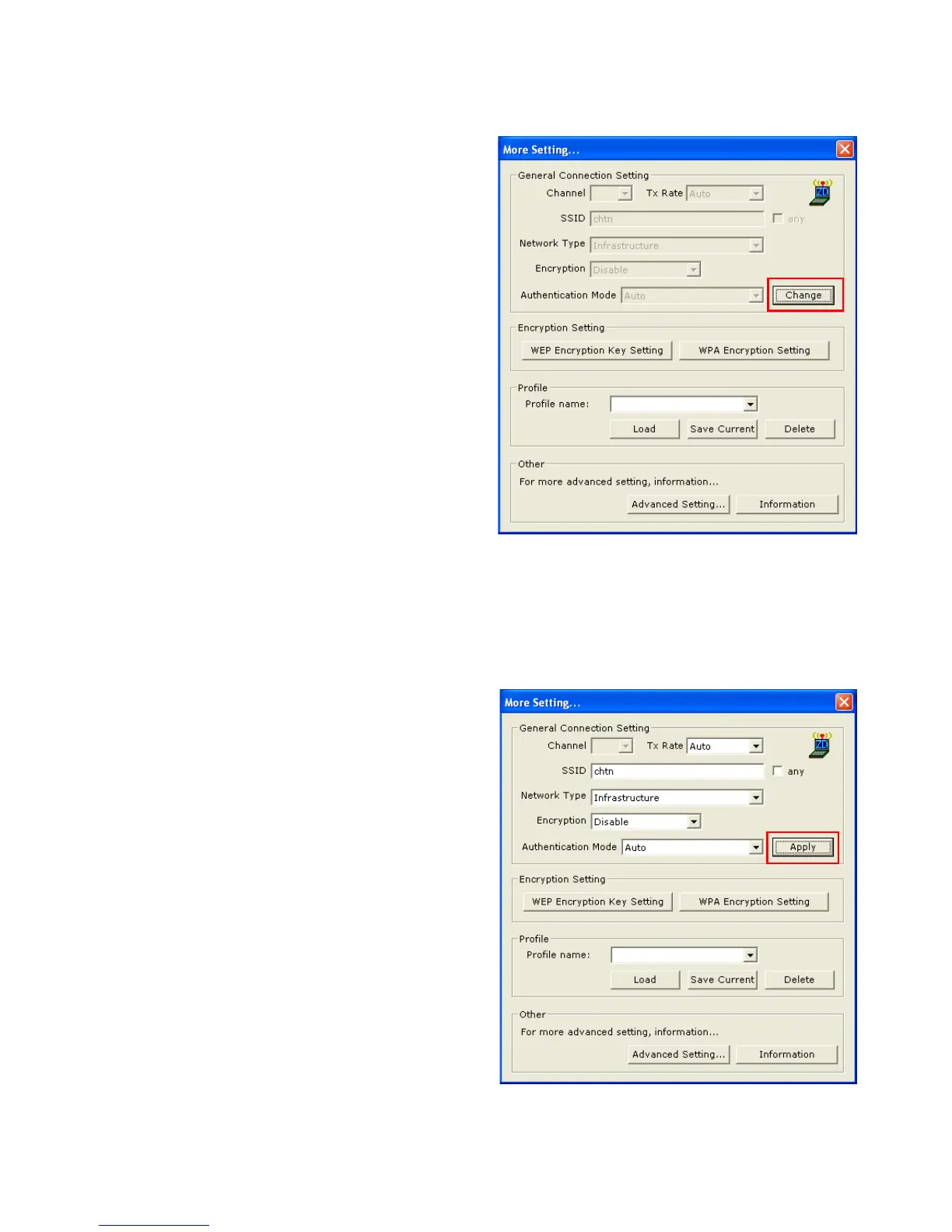
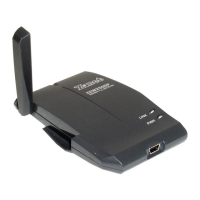
5.1 GENERAL CONNECTION SETTING
In this panel, you can modify the
general network connection setting,
enable/disable the WEP, load/
modify profile and other setting.
Through this control panel, you will
be able to access the corporate
wireless LAN or hot spots such as
hotel, airport, and conference hall.
Click “Change” to start input of
settings. The settings include :
SSID.
Network Type.
Transmit Rate.
Encryption.
Authentication Mode.
When settings are input, click “Ap-
ply” to confirm changes of them.
8


 To Next Page