43
normal AP mode.
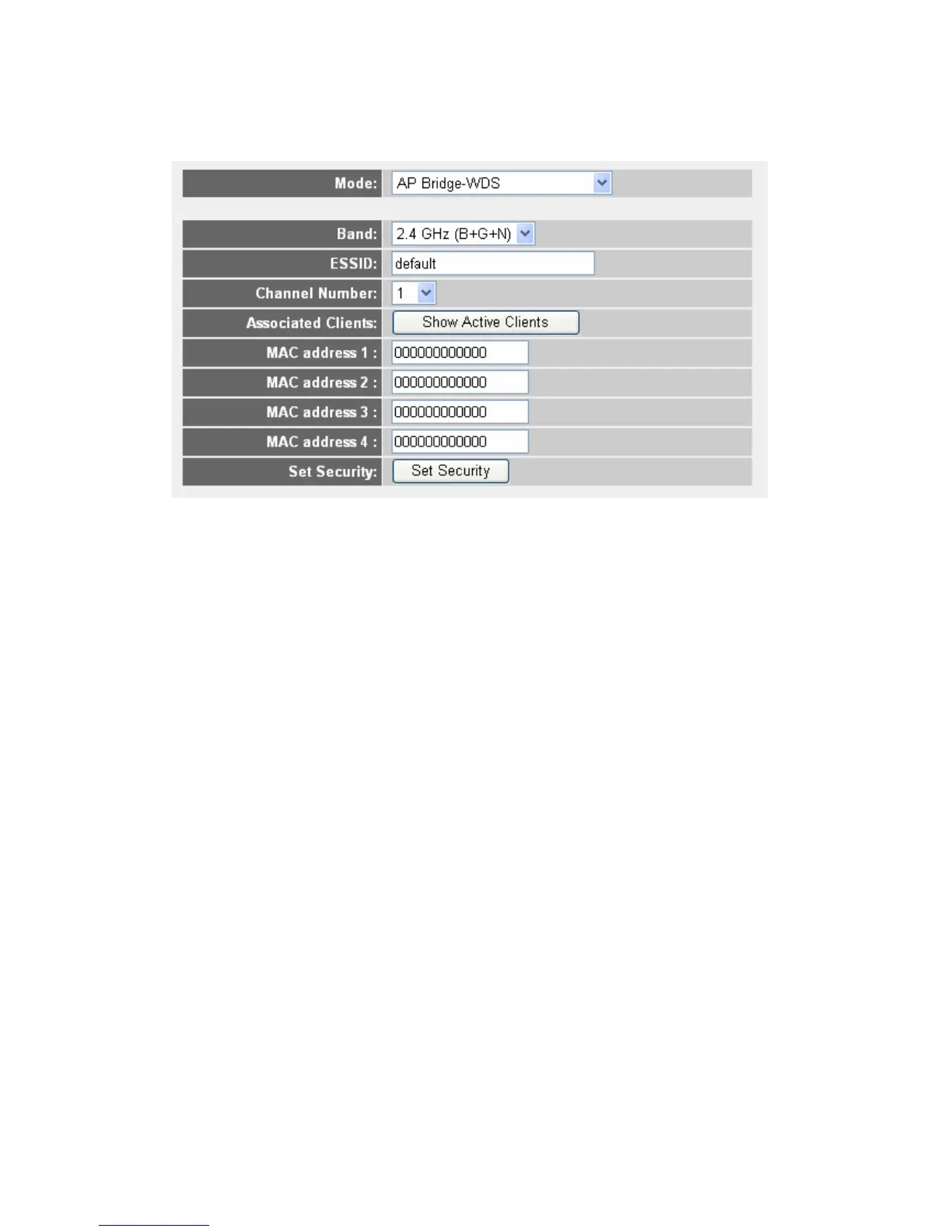
Band: Select the band you want to use, all the wireless routers must use
the same setting.
ESSID: Input the ESSID of your wireless router, the setting should be
the same with other wireless routers for the convenience of roaming.
Channel Number: Select the channel you want to use, all the wireless
routers must use the same setting.
Associated Clients: Click “Show Active Clients” button, then an “Active
Wireless Client Table” will pop up. You can see the status of all active
wireless stations that are connecting to the access point.
MAC address 1 to 4: Input the MAC address of other wireless routers.
Set Security: Click to set security settings for this connection
2-7-1-6. Setup procedure for Universal Repeater
In this mode, the router can act as a wireless repeater; it can be Station and
AP at the same time. It can use Station function to connect to a Root AP and
use AP function to service all wireless stations within its coverage.
NOTE: For Repeater Mode, this router will demodulate the received signal,
checking if this signal is noise for the operating network then have the signal
modulated and amplified again. The output power of this mode is the same
as that of WDS and normal AP mode.



 To Next Page