59
2.
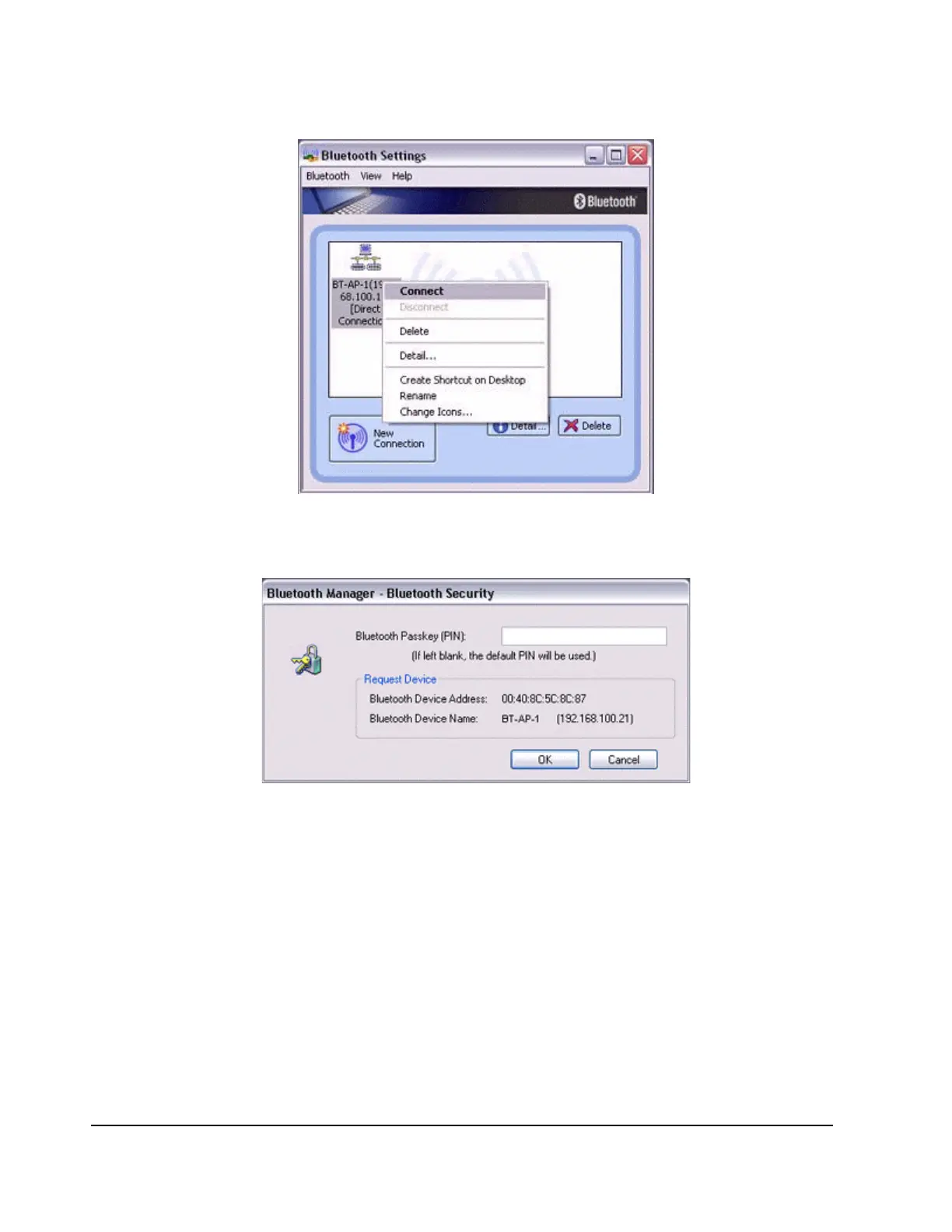
Enter the passkey under [Bluetooth Passkey (PIN code)], and then click on the
[OK] button.
A connection will be initiated.
Note
Please follow the procedure below if you need to set up a proxy server to connect
to the Internet (the following procedure is not necessary if the PC you are going to
use has already been set up as a proxy server).
1. Select [Internet Options...] from the [Tools] menu in Internet Explorer.
The [Internet Options] window will appear.
2. Click on the [Connections] tab, and then click on the [Settings...] button.



 To Next Page