To make a
number on
the Hea ph
, flip up the micro-phone
on to end the call and
call while you are listening to music, just dial the
your phone – you don't need to press a button on
ones. d
When you finish speaking
and press the Phone butt
listen to your music player.
3. Using the Headphones
12
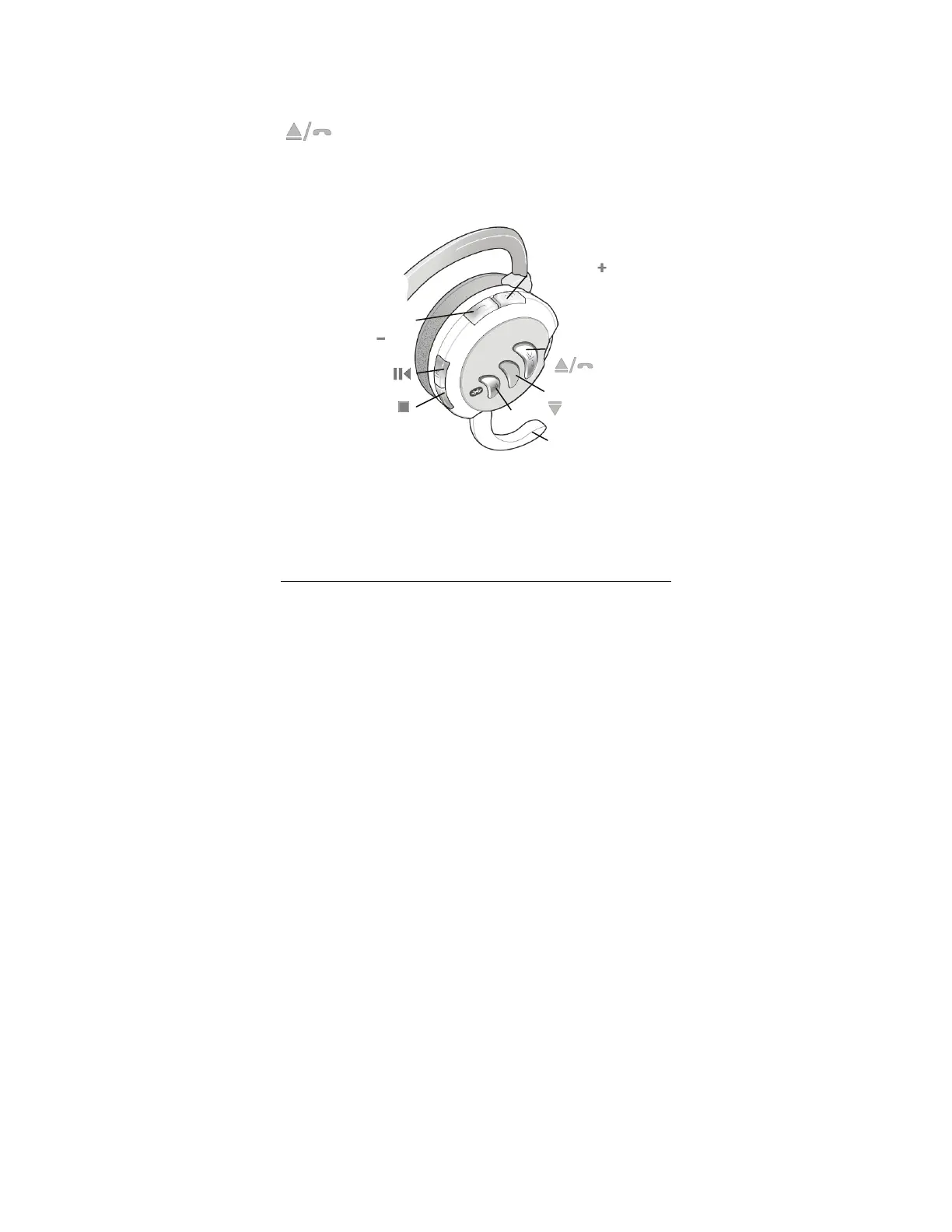
In the following table, the phone functions are shown in italics.
Stop
Pairing LED
Volume
Down
Play/Pause
Back
F rwaro d/Phone
Microphone
Volume Up (
)



 To Next Page