Chapter 3: Advanced Setup Options 33
How To Use the Advanced
Options
Configuring the X4 for the situations described at the beginning of
this chapter requires the use of the Advanced Setup page. To
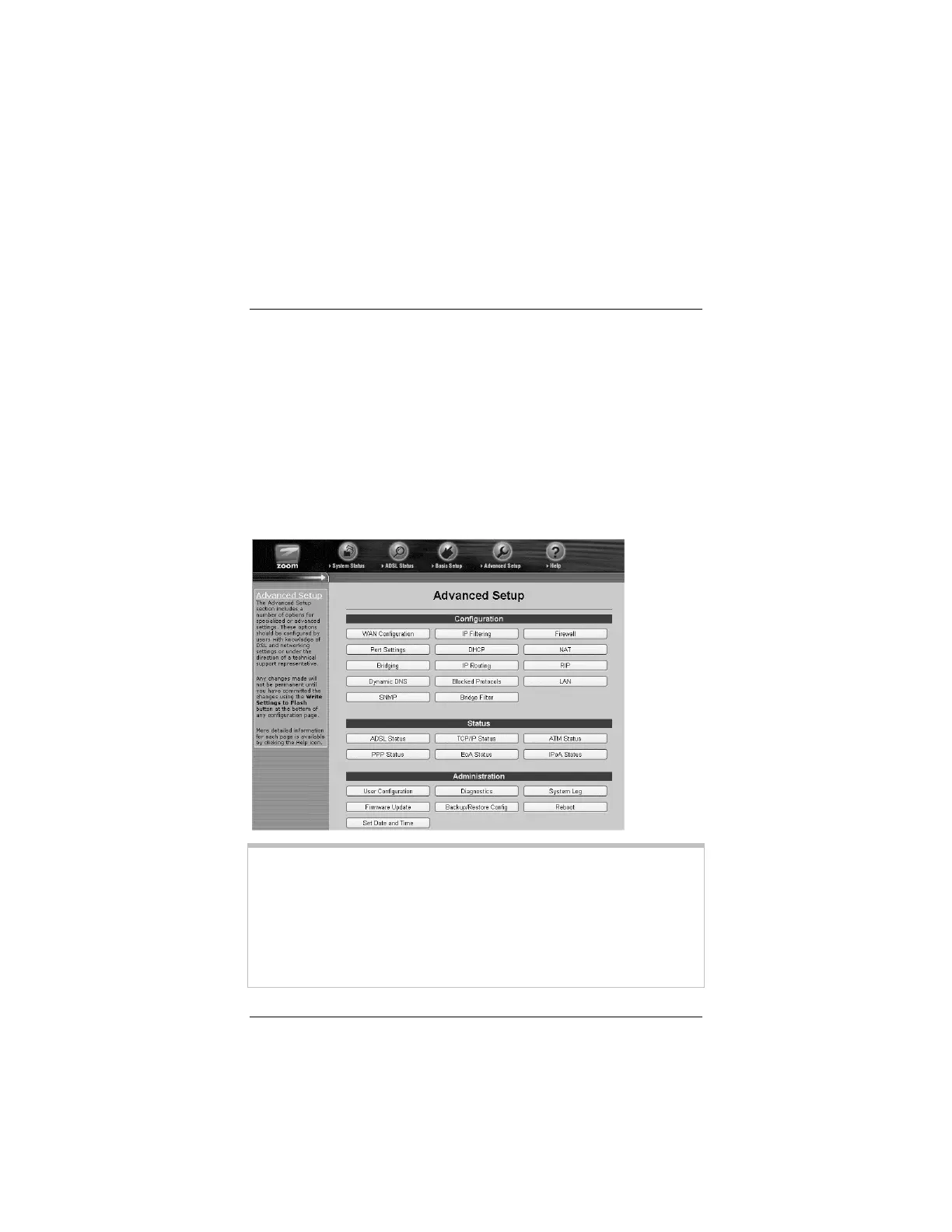
access this page, click the Advanced Setup icon at the top of any
page in the Zoom Configuration Manager. (If you forgot how to
log in to the Zoom Configuration Manager, see page 16.)
You will notice that there are numerous buttons on the page,
broken into three groups: Configuration, Status, and
Administration.
Most users will not need to use any of the buttons on the
Advanced Setup page.
Tip:
If you plan to specify advanced options, you can view detailed
information about each option in the online help. To open the
help, click the button for the settings you want to specify (for
example, the Firewall button to open the Firewall Configuration
page), then click the Help icon at the top of the screen to open a
help topic specifically about the page you are viewing.



 To Next Page