MODEL 5352
QUICK START
This Quick Start describes how to connect the Model 5352 Cable Modem/Router to a cable modem
service and how to use Model 5352 for Internet access by wireless or Ethernet-capable devices. More
detailed information, including information about advanced features, is in the User Manual on our website
at
www.zoomtel.com/5352manual
Package Contents
• Cable modem
• Power cube
• Ethernet RJ-45 cable
• This Quick Start flyer
Before installing your cable modem, please read this.
You need to connect the cable modem to a cable modem service that uses any of the popular DOCSIS
standards – 3.0, 2.0, or 1.1. If you need to get cable modem service, please speak with your cable
service provider.
Your cable service provider will need to know your modem's MAC ADDRESS, which is printed on a
label on the bottom of your modem. You provide this when you order cable modem service, or by
calling the cable company before or after installing your modem, or by entering your CM-MAC ADDRESS
on an account setup web page that appears when you first connect your cable modem to your provider’s
network. Normally your cable service provider will tell you when to provide the CM-MAC address. You
may also be asked for your cable modem's model name and number, which is ZOOM 5352. If you need
the modem's serial number, you can find it near the MAC address on the label.
If you are replacing an “old” cable modem, do this:
1 Disconnect the coaxial cable from the old cable modem and connect it to your Zoom modem. If
the coaxial cable has a screw-on connector, turn the connector clockwise when tightening the
cable onto the Zoom cable modem.
2 If there’s an Ethernet cable plugged into the old cable modem, unplug the Ethernet cable from
the old cable modem and plug it into any of the Zoom cable modem’s LAN jacks.

 Need help?
 General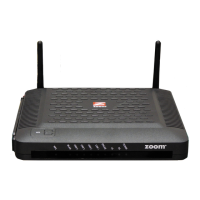

 To Next Page

