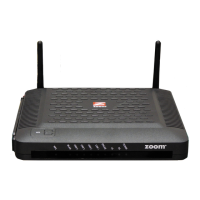
Front Panel LEDs
Your Zoom cable modem has several lights on its front panel to help you monitor
the cable modem/router’s status.
LIGHT COLOR DESCRIPTION
WPS
Green
Blinking: WPS is in discovery mode (LED blinks
for up to 2 minutes)
ON: LED lit solid for 30 seconds after WPS
configuration is successful
OFF (after 2 minutes blinking): No Wi-Fi client
associated with the cable modem/router
via WPS
WLAN
Green
Blinking: Data is flowing
ON: Wi-Fi is enabled
OFF: Wi-Fi is not enabled
LINK 1-4
Ethernet
LAN ports
Green or
Amber
Blinking: Data is flowing
Green: Connected at highest LAN speed,
1 Gbps
Amber: Connected at 10 or 100 Mbps
OFF: No Ethernet link detected
Online
Green
Blinking: Cable interface is acquiring IP, Time of
Day, and configuration
ON: Cable modem/router is online
OFF: Cable modem/router is offline
DS
Downstream
sync
Green or
Blue
Blinking: Scanning for DS channel
Green ON: Synchronized on 1 channel only
Blue ON: Synchronized with more than
1 channel (DS Bond mode)
US
Upstream
sync
Green or
Blue
Blinking: Ranging is in progress.
Green: Ranging is complete; operate on 1
channel
Blue: Ranging is complete; operate on more
than 1 channel (US Bond mode)
OFF: Upstream channel is inactive
DS & US
Blue
Both DS and US blinking together: The cable
modem/router is powering up or cable operator
is performing maintenance
Power
Green
ON: power is supplied to the cable
modem/router
OFF: power is not supplied to the cable
modem/router
Please note the following:
¾ Do not block the modem vents in any way.
¾ Do not place the modem near a heating or air conditioning duct, in direct sunlight, anywhere
susceptible to drastic temperature changes, or where it’s very hot or very cold.


 To Next Page

