Need help?
Do you have a question about the Zoom ARQ AR-96 and is the answer not in the manual?
Explains symbols for warnings and cautions to prevent accidents.
Details on avoiding interference, cleaning, and handling malfunctions.
Information on product copyrights and optimal Bluetooth performance.
Critical warnings for safe battery handling, charging, and disposal to prevent hazards.
Details on FCC regulations, US/Canada compliance, and Canadian radio frequency standards.
Instructions for proper disposal of electronic equipment and batteries in European countries.
Overview of the AR-96's key features and functionalities.
Details on built-in sounds, creation modes, and effect usage.
Information on connecting external devices and audio file handling.
Definitions of key musical terms like Pattern, Song, Step, Sequence, and Kit.
Identification of controls and indicators on the top surface of the Base Station.
Details of input/output jacks and connectors on the side panels.
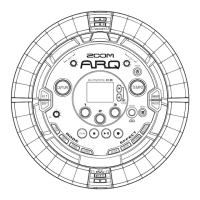
Identification of buttons, pads, and connectors on the Ring Controller.
Explains the AR-96 consists of a Base Station and a detachable Ring Controller.
Details the LED matrix structure and its use for step confirmation.
Describes the Ring Controller's surface, pad locations, and function assignments in different modes.
Explains how LEDs indicate playback position and real-time input status.
Details how to set a grip area to prevent unintentional pad presses.
Describes how LEDs in STEP mode assist step recording.
Illustrates how to connect audio sources, headphones, mixer, and computer to the AR-96.
Overview of the four main modes: STEP, INST, SONG, and LOOPER for pattern and song creation.
Explains how instruments are assigned to pads and notes in PAD and KEY layouts for STEP/INST modes.
Step-by-step instructions for powering the Base Station and Ring Controller on and off.
Procedures for charging the Ring Controller on the Base Station and LED indicators.
How to put the Ring Controller into sleep mode and wake it up.
Steps to turn the Ring Controller power off completely when not charging.
Instructions for inserting and ejecting SD cards into the Base Station.
Explains INST mode, PAD/KEY layouts, and instrument assignments.
How to create patterns using real-time input in PAD layout.
How to create patterns using real-time input in KEY layout.
Step-by-step guide to entering INST mode, selecting patterns, kits, and checking instruments.
How to start and end real-time input for pattern creation in INST mode.
Introduction to STEP mode for creating patterns by inputting one step at a time.
Details how the Ring Controller's 32 steps map to musical bars for input.
How to manage instrument display and input in STEP mode's PAD layout.
How to select and input notes in STEP mode's KEY layout.
Step-by-step guide to entering STEP mode, selecting patterns, kits, and performing step input.
Explains how to combine patterns to create complete songs.
How patterns are assigned to rings and played back in SONG mode.
Step-by-step guide to entering SONG mode, selecting songs, patterns, and creating songs.
Explains how the AR-96 captures audio from internal playback or external input.
Step-by-step guide to capturing audio, stopping, and saving the recorded material.
Explains how to combine audio captures into looper sequences for playback.
How captured recordings are assigned to rings for playback in LOOPER mode.
Step-by-step guide to entering LOOPER mode, selecting sequences, and creating them.
How to edit sounds using parameters like oscillator, effects, level, and pan.
How to apply filter, delay, reverb, and master effects to patterns or sequences.
Using the mixer to adjust instrument levels, mute, and solo.
Troubleshooting steps for issues with no sound or very quiet output.
Steps to resolve issues related to excessive noise or interference.
Troubleshooting steps for effects not working or the Ring Controller malfunctioning.
Technical specifications for the AR-96 Base Station, including inputs, outputs, power, and dimensions.
Technical specifications for the AR-96 Ring Controller, including sensors, power, and dimensions.
 General
| Sampling Rate | 44.1kHz |
|---|---|
| Audio Outputs | 1 x 1/8" (3.5mm) stereo |
| MIDI Control | Yes |
| Sequencer | Yes |
| Connectivity | USB |
| Power | Rechargeable battery or USB power |

 To Next Page