10 11
Connecting Instruments and Mics
Recording
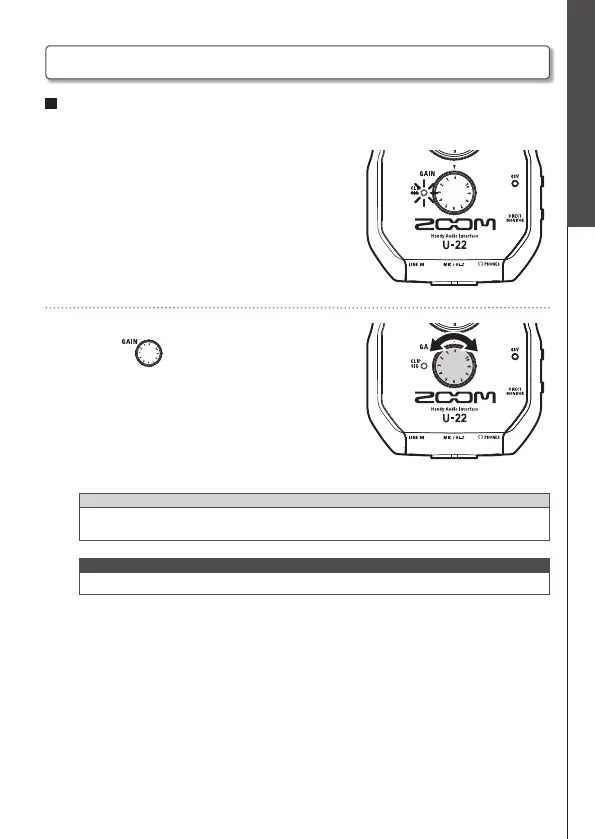
Adjusting Input Gain
You can adjust the MIC/Hi-Z jack gain.
1. Use the level indicator to check the input
signal status.
Green light: Input signal is present.
Red light: Input signal is clipping.
2. Adjust the input gain.
Turn the .
HINT
• To avoid distorted recordings, adjust the input gain so the level indicator doesn't light
up red.
NOTE
• The gain is fixed for the LINE IN jack.
Connecting Instruments and Mics (continued)


 To Next Page