10 11
Recording
Connecting Instruments and Mics
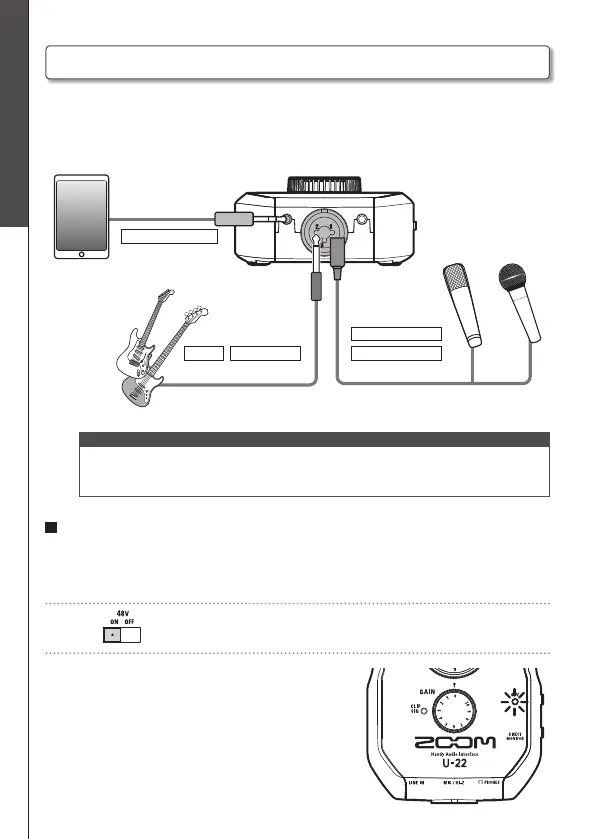
Use a mono instrument/XLR cable to connect an instrument or mic to the MIC/Hi-Z
jack.
Use a stereo mini cable to connect an iPad or other device to the LINE IN jack.
<Front>
Bass guitar
Tablet or other device
(mono instrument cable)
(stereo mini cable)
Guitar
Dynamic mic
Condenser mic
(XLR cable)
NOTE
· The MIC/Hi-Z jack is disabled when a cable is connected to the LINE IN jack.
· The Hi-Z function will turn ON automatically when a mono instrument cable is
connected.
Using Phantom Power
Supply phantom power when using a condenser mic.
1. Connect a condenser mic.
2. Set to ON.
3. Confirm that the 48V indicator is lit.
Connecting Instruments and Mics


 To Next Page