8 9
iPad Connection
Connecting with a Computer/iPad
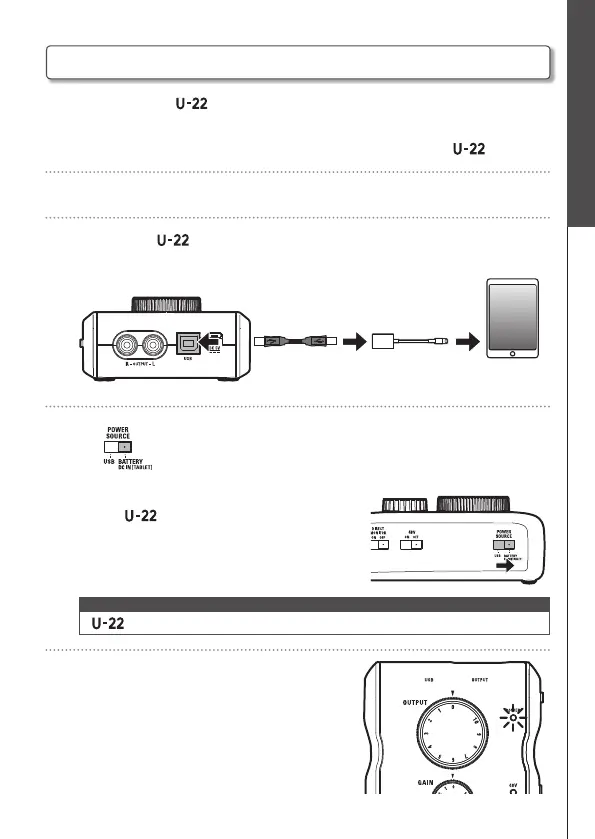
You can connect the to an iPad when using either the optional AD-17 power
adapter, an external DC power supply, or AA batteries.
1. Minimize the volume of any output devices connected to the .
2. Install batteries or connect an external power supply. (→ P. 7)
3. Connect the to the iPad using an Apple iPad Camera Connection Kit or
Lightning to USB Camera Adapter.
<Back>
4. Set to BATTERY/DC IN [TABLET].
After the turns on, it will connect to the iPad.
NOTE
• cannot accept bus power from an iPad.
5. Confirm that the power indicator is lit.
<Right side>
iPad Connection


 To Next Page