EasyManua.ls Logo

ZooZ ZEN34 - User Manual

ZooZ ZEN34
4 pages
Print Icon
To Next Page IconTo Next Page
Loading...
USER
MANUAL
Z
-WAVE
CONTROL
PLUS
z0OZT
bright
ideas
REMOTE
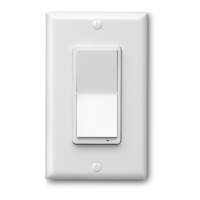
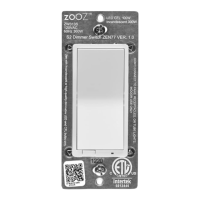
SWITCH
ZEN34
RS2
www.getzooz.com
Firmware
1.30
FEATURES
Control
other
Z
-Wave
devices
and
enable
scenes
with
a
click
ofa
button
Classic
paddle
switch
look
and
size
+
magnetic
base
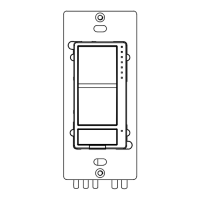
Install
in
your
electrical
switch
box
or
mount
anywhere
on
a
wall
with
just
adhesive
tape
The
latest
700
chip
with
S2
and
SmartStart
support
Powered
by
batteries,
no
wires
needed
SPECI
FICATIONS
Model
Number:
ZEN34
Z
-Wave
Signal
Frequency:
908.42
MHz
Power:
2
x
CR2032
batteries
Operating
Temperature:
32-
104°
F
Range:
Up
to
250
feet
line
of
sight
Installation
and
Use:
Indoor
Only
1.
ABD
DEVICE
to
your
hub
Initiate
inclusion
(pairing)
in
the
app
(or
web
interface).
Not
sure
how?
ask@getzooz.com
If
you're
using
an
S2
hub,
it
may
ask
you
to
scan
the
QR
code
or
enter
the
DSK
PIN
printed
on
the
back
sticker
to
complete
secure
inclusion.
.
POWER
the
device
Use
the
triangle
tool
to
open
the
remote
and
access
the
batteries.
Pull
the
battery
tabs
to
power
the
Remote
Switch.
If
using
SmartStart,
it
will
join
your
hub
automatically.
Otherwise,
proceed
to
manual
inclusion.
MANUAL
INCLUSION
Scan
here
for
SmartStart
inclusion
Put
your
Z
-Wave
hub
into
inclusion
mode
and
click
the
upper
paddle
6
times
quickly.
The
LED
indicator
will
blink
blue
during
the
process
and
light
up
green
once
added
successfully.
It
will
light
up
red
if
failed.
choose
your
hub
and
scan
the
QR
code
with
your
phone's
camera.
Then
click
on
the
link
to
access
the
pairing
guide.
SmartThings
Hubitat
HA
Get
more
L
1O00
S
and
deipfLi
i
tips
at
www.support.getzooz.com
Question and Answer IconNeed help?

Do you have a question about the ZooZ ZEN34 and is the answer not in the manual?

ZooZ ZEN34 Specifications

General IconGeneral
BrandZooZ
ModelZEN34
CategorySwitch
LanguageEnglish

Related product manuals