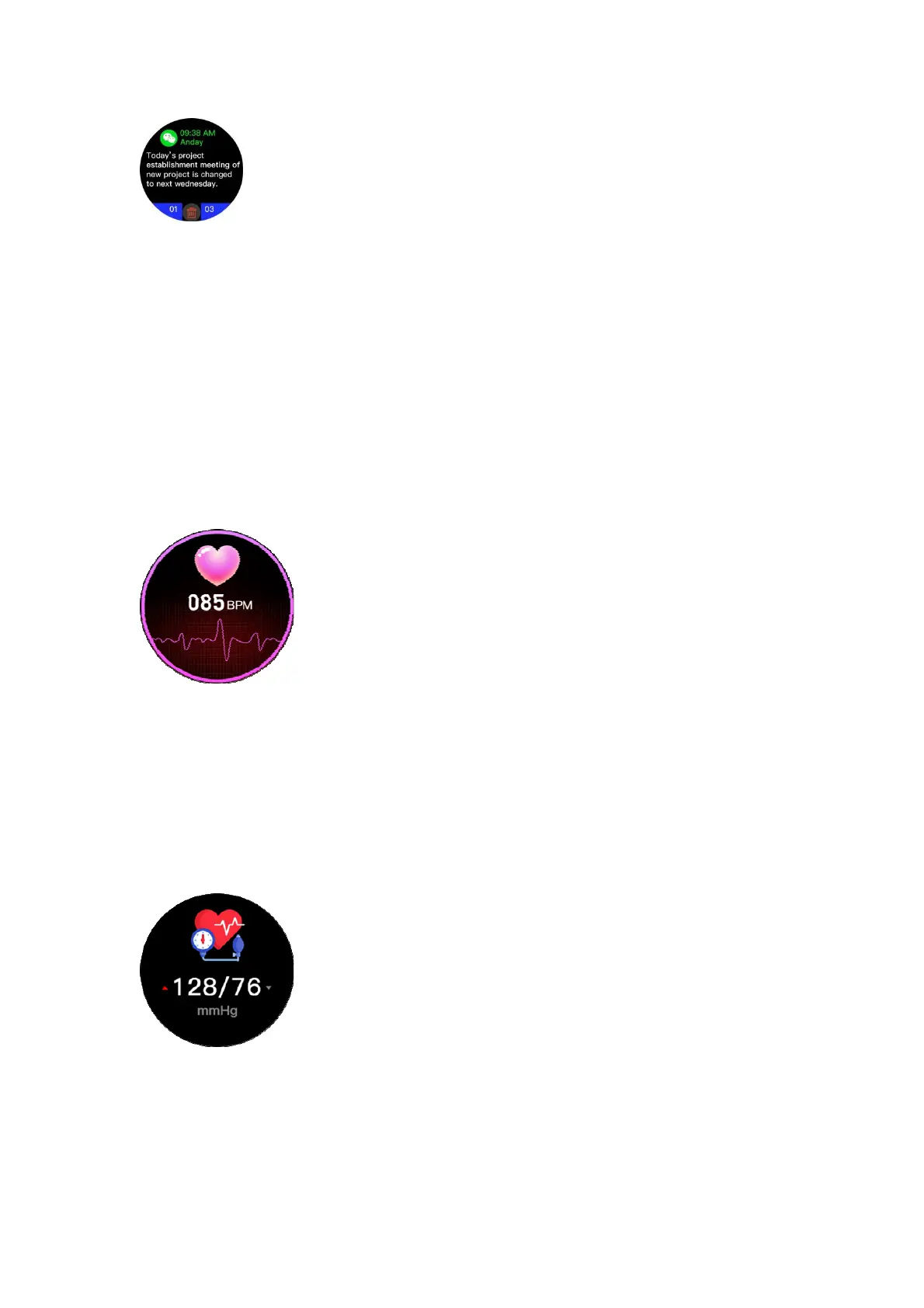
Message notification
When the watch is connected to the mobile phone, and the SMS reminder, incoming call
reminder,andmessagenotificationfunctionsareenabledontheapp,thewatchcandisplaytext
messages,incomingcallsandapplicationnotifications,such asFacebook,Whatsapp,T witter,etc.
Upto15messagescanbestored,andeach
messagecanbedeletedindependently.
Note:Thewatchdoesnotsupportthefunctionofansweringcallsandreplyingtotextmessages.
The watch will display the message synchronously when the message is displayed in the
notificationbarofthe mobile phone.If themobilephone doesnotdisplaythe message,
please
checkwhethertheapplicationhasthenotificationpermission;
After binding for iOS users, please allow the Bluetooth pairing request and allow the watch to
display notification messages, otherwise the message cannot be received correctly after the
messagenotificationisturnedon.
Heartratemonitoring
Clicktoentertheheartratedetectioninterface.Afterthevalueisstable,youcanunderstandthe
current heart rate status. If you need regular heart rate detection, please turn on the timing
detection function on the app. More detailed information analysis and data records can be
viewed
intheapp.
Note: Product measurement results are for reference only, and cannot be used as a basis for
medicalpurposes.
Bloodpressuremonitoring
Click to enter the blood pressure detection interface. After the value is stable, you can
understand the current blood pressure status. More detailed information analysis and data
recording can be viewed in the app. Note: The product measurement results are for reference
onlyandcannotbeusedas
abasisformedicalpurposes;


 To Next Page
 Loading...