
 Need help?
Do you have a question about the ZOYI ZT-703S and is the answer not in the manual?
Details the handheld oscilloscope's design, display, and integrated functions for versatile measurement needs.
Essential precautions to prevent electric shock, fire hazards, and personal injury during operation.
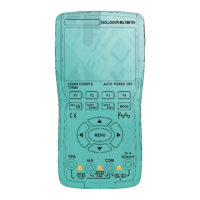
Illustrates and labels the primary components and connections of the device's main operational screen.
Explains the layout and specific elements of the oscilloscope mode's main display screen with numbered descriptions.
Details the function and operation of each key on the device's control panel for oscilloscope and multimeter modes.
Describes the structure and navigation of the device's various menu screens and options.
Guidance on safe probe usage, voltage limits, and proper handling to prevent damage or injury.
Steps to perform probe compensation for accurate measurements, including visual checks.
Details how to adjust probe capacitance for compensation using an adjustment rod.
Explains how to set probe attenuation to match oscilloscope settings for accurate vertical scale readings.
Instructions for configuring channel parameters like enable, coupling mode, and probe attenuation.
How to use the AUTO key to automatically identify and display waveforms for easier measurement.
How to adjust voltage amplitude, scale, position, and horizontal scale (time base).
Details Scroll Mode for low-speed signals and long-term waveform observation.
Explains how to configure the trigger system for capturing specific waveform events.
Guides on adjusting trigger cursors and selecting trigger modes for waveform analysis.
How to set trigger edges (rising/falling) and select trigger sources (CH1/CH2).
Procedure for automatically adjusting the trigger position to the middle.
How the device automatically identifies and adjusts parameters for measuring unknown waveforms.
Steps for manually setting parameters to observe waveforms and their measured values.
How to access and display various measured values like Vpp, Vmax, frequency, and duty cycle.
Enables X-Y display and adjusts persistence time for waveform visualization.
Options for formatting the display (clearing images) and adjusting backlight time.
Using cursors to measure specific segments of a waveform, amplitude, or time.
Details on Horizontal, Vertical, and combined Horizontal+Vertical cursor measurements.
Instructions on saving, browsing, deleting, and transferring waveforms, plus language/auto-shutdown.
Explanation of Normal and High-Speed modes and their applicability based on signal frequency.
How to adjust screen brightness levels for optimal viewing in different environments.
Steps for performing baseline calibration to ensure measurement accuracy, with important precautions.
Guide to configuring signal generator output type, frequency, amplitude, and duty cycle.
How to select waveforms, adjust frequency and duty cycle, and manage signal output.
Explanation of the multimeter mode's LCD screen elements and their functions.
Input ports for measuring high (10A) and low (mA) current.
The common (COM) return port and the VΩHz port for various measurements.
Procedure for connecting probes and setting the device to measure AC and DC voltages.
Steps for measuring AC and DC current by connecting probes to the appropriate terminals.
Instructions for measuring resistance, including safety checks and probe placement.
How to perform continuity tests using the device, indicated by a buzzer sound.
Procedure for measuring diode forward voltage and handling potential errors.
Steps to measure capacitance, including connecting probes to capacitor terminals.
Options to change language, set auto-off timers, and adjust screen brightness.
Setting up serial port output for real-time data monitoring and saving to a computer.
Instructions for cleaning the device casing safely and effectively.
Steps for charging the device's battery using a DC adapter or computer USB port.
Guidelines for storing the instrument and replacing the internal lithium battery.
Step-by-step guide for replacing blown or malfunctioning fuses.
Details on display, range, material, sampling rate, data hold, and auto power off features.
Information on device dimensions, weight, battery, warranty, and operating/storage conditions.
Technical details for DC voltage measurements, including range, resolution, and accuracy.
Technical details for AC voltage measurements, including range, resolution, accuracy, and frequency response.
Technical details for DC current measurements, including range, resolution, and accuracy.
Technical details for AC current measurements, including range, resolution, accuracy, and frequency response.
Technical details for resistance measurements, including range, resolution, and accuracy.
Technical details for capacitance measurements, including range, resolution, and accuracy.
Technical details for frequency measurements, including range, resolution, and accuracy.
Technical specifications for diode testing and continuity checks.
Details on input characteristics (bandwidth, coupling, attenuation) and horizontal system specs.
Details on sensitivity, offset range, analog bandwidth, rise time, and gain accuracy.
Specifications for auto measurement, trigger modes, signal generator output, and display modes.
 General
| Max DC Voltage Measurement | 1000V |
|---|---|
| Max AC Voltage Measurement | 750V |
| Max Current Measurement | 10A |
| Continuity Test | Yes |
| Diode Test | Yes |
| Data Hold Function | Yes |
| Backlight | Yes |
| Display | LCD |
| Duty Cycle Range | 0.1%-99.9% |
| Operating Temperature | 0°C to 40°C |

 To Next Page
