The ZTE MF271 Rogers Rocket Hub is a versatile device designed to provide voice and data services over 4G, 3G, HSPA+, and LTE networks. This quick start guide outlines its features, installation, and connection procedures, making it easy for users to set up and operate.
Function Description:
The MF271 serves as a central hub for wireless communication, enabling users to access the internet and make phone calls through cellular networks. It supports both Wi-Fi connectivity for multiple devices and Ethernet for wired connections, offering flexibility in how users connect to the internet. The device also includes standard RJ11 connectors for connecting traditional telephones, integrating voice services with its data capabilities. Its primary function is to convert cellular signals into usable internet and voice connections for home or office environments.
Important Technical Specifications (Derived from Indicators and Interface):
- Network Compatibility: 4G/3G/HSPA+/LTE networks.
- Connectivity:
- Wi-Fi: Supports wireless data transmission.
- Ethernet: Standard Ethernet connector for computer connection.
- Telephone: Two standard RJ11 connectors (PHONE1, PHONE2) for telephone lines.
- Power:
- External power supply (DC 5V input).
- Internal battery for backup or portable operation.
- Indicators:
- Power & Battery Indicator:
- Green steady: External power supply working normally.
- Green blinking: Battery power > 50%.
- Yellow blinking: Battery power 20%-50%.
- Red blinking: Battery power < 20%.
- Off: Power off or external power supply abnormal.
- Voicemail Indicator:
- Green blinking: New voicemail.
- Off: No new voicemail.
- Information Indicator:
- Green blinking: New SMS, data balance, Micro-SIM issue, etc. (requires Web UI check).
- Off: No need to check Web UI.
- Wi-Fi Indicator:
- Green steady: Wi-Fi works normally with no data transmission.
- Green blinking: Wi-Fi works normally with data transmission.
- Off: Wi-Fi function disabled.
- Signal Strength Indicator:
- Green steady: Strong signal strength.
- Yellow steady: Weak signal strength.
- Red steady: No service, limited service, or searching for service.
- Red blinking: Micro-SIM checking, Micro-SIM error, or other abnormal status.
- SIM Card Type: Micro-SIM.
- Buttons:
- WPS (Wi-Fi Protected Setup) button.
- ON/OFF button.
- Ports:
- PHONE1, PHONE2 (RJ11).
- ETHERNET.
- POWER INPUT (DC 5V).
Usage Features:
- Easy Installation: The device features a straightforward installation process involving sliding off the back cover, inserting the Micro-SIM card, placing the battery, and replacing the cover.
- Flexible Connectivity: Users can connect to the internet via Ethernet cable for a stable wired connection or through Wi-Fi for wireless access on multiple devices.
- Voice Service Integration: The inclusion of RJ11 ports allows for the connection of standard telephones, enabling voice calls over the cellular network.
- Wi-Fi Protected Setup (WPS): A dedicated WPS button simplifies the process of connecting Wi-Fi devices securely without manually entering passwords.
- Indicator-Based Status Monitoring: Clear LED indicators provide immediate visual feedback on the device's operational status, including power, battery level, voicemail, general information, Wi-Fi activity, and cellular signal strength. This allows users to quickly diagnose issues or understand the device's current state.
- Automatic IP Configuration: The device is designed to work seamlessly with clients configured to obtain IP addresses and DNS server addresses automatically, simplifying network setup for connected PCs.
- Web UI for Advanced Information: The "Information" indicator suggests the presence of a web-based user interface (Web UI) where users can check for new SMS messages, data balance, and Micro-SIM related issues, offering more detailed control and monitoring.
- Default SSID and Password: The default Wi-Fi SSID and password are conveniently located on a label on the device, making initial Wi-Fi connection straightforward.
- Power Management: The device can be turned ON/OFF via a dedicated button, and its battery indicator helps users manage power levels effectively.
Maintenance Features:
- Micro-SIM Card Access: The design allows for easy access to the Micro-SIM card slot by sliding off the back cover, facilitating SIM card insertion or replacement.
- Battery Replacement: The battery is user-insertable, suggesting it can be replaced if needed, contributing to the device's longevity.
- Troubleshooting via Indicators: The comprehensive set of indicators aids in basic troubleshooting. For example, a red blinking signal strength indicator immediately points to a Micro-SIM error or abnormal status, while a red blinking power indicator warns of low battery.
- Online User Guide: For more detailed information and advanced troubleshooting, users are directed to an online user guide at www.rogers.com/userguide.com, providing comprehensive support beyond the quick start guide.
- Reset Function (Implied): Although not explicitly detailed in the "Interface Description" table, the image on page 8 shows a "RESET" label near the SIM card slot, implying a reset function is available, which is a common maintenance feature for network devices to restore factory settings or resolve software issues.

 Need help?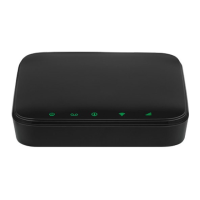

 To Next Page
 General