EasyManua.ls Logo

Zte MF730M - User Manual

Zte MF730M
62 pages
Print Icon
To Next Page IconTo Next Page
Loading...
1
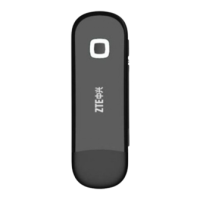
MF730M
USB Modem
Quick Guide

Other manuals for Zte MF730M

Questions and Answers

  • M
    Matthew WadeAug 8, 2025
    What to do if my Zte MF730M can't connect to the Internet?
    • D
      David CooperAug 8, 2025
      If your Zte Modem is unable to connect to the Internet, ensure the SIM card is correctly inserted. Also, check the signal strength and move to a location with a stronger signal if needed. If the issue persists, it is recommended to contact your network operator for further assistance.
  • J
    James RobbinsAug 13, 2025
    Why can't I visit the webGUI configuration page of my Zte Modem?
    • M
      Martha ShannonAug 13, 2025
      If you can't access the webGUI configuration page for your Zte Modem, first, make sure you're entering the correct address (the default is http://192.168.0.1 or http://m.home). Ensure that only one network adapter is active on your PC and that you are not using any proxy server.
  • L
    Lisa MccartyAug 19, 2025
    Why can't I access the webGUI configuration page on my Zte MF730M Modem?
    • D
      Danielle FowlerAug 19, 2025
      If you're unable to access the webGUI configuration page on your Zte Modem, first, ensure you're entering the correct address, which is either http://192.168.0.1 or http://m.home. Next, verify that only one network adapter is connected to your PC and that you are not using a proxy server.
  • M
    Max BrockAug 23, 2025
    What to do if the client connected to Zte MF730M can not access the Internet?
    • D
      Deanna AguirreAug 23, 2025
      If the client connected to your Zte Modem can't access the Internet, ensure your SIM card is active. Try moving to a location with a stronger signal. Review your network settings. Also, verify your APN settings with your service provider.
  • J
    Jeremy HawkinsAug 28, 2025
    How to establish the USB connection between Zte MF730M Modem and PC?
    • R
      Ryan PattersonAug 28, 2025
      To establish a USB connection between your Zte Modem and PC: first, install the software by running the installation program located in My Computer > ZTEMODEM. If the device driver is not working correctly, reinstall the software, making sure to uninstall it first.
  • A
    Annette NunezSep 2, 2025
    What to do if Zte Modem can not connect to the network automatically in Windows 8?
    • K
      Keith WatkinsSep 2, 2025
      If your Zte Modem doesn't automatically connect to the network in Windows 8, click the network icon on the task bar after inserting the device into your PC. Then, check the 'Connect automatically' box in the Networks menu, and click 'Connect'.

Summary

Legal Information

Introduction to USB Modem

Getting to Know Your Device

Indicator Status

Explains the meaning of indicator light colors (Red, Green Bright, Green Twinkling) for modem status.

Hardware Installation Guide

Warning and Notice

To the Owner: Safety Precautions

Provides warnings about electromagnetic interference with other devices and medical equipment.

Proper Use of USB Modem

Limited Warranty Information

Limitation of Liability

How to Get Help

Troubleshooting Common Issues

Zte MF730M Specifications

General IconGeneral
BrandZte
ModelMF730M
CategoryModem
LanguageEnglish

Related product manuals