EasyManua.ls Logo

Zte MF626 - User Manual

Zte MF626
30 pages
Print Icon
To Next Page IconTo Next Page
Loading...
GLOBUL Connect Center
ZTE MF626
User Manual

Other manuals for Zte MF626

Question and Answer IconNeed help?

Do you have a question about the Zte MF626 and is the answer not in the manual?

Summary

Modem Introduction and Safety

ZTE MF626 HSDPA USB Modem Introduction

General introduction to the ZTE MF626 HSDPA USB Modem.

Modem User Safety Warnings and Precautions

Safety and operational warnings for modem users and the modem itself.

Modem Specifications and System Requirements

ZTE MF626 Modem Compatibility

Details on compatible laptop and desktop PC models for the modem.

System Requirements for ZTE MF626 Modem

Specifies the required operating systems and hardware configuration for the modem.

Key Functions of the ZTE MF626 Modem

Lists the primary functionalities of the ZTE MF626 modem.

ZTE MF626 Modem Technical Specs

Technical specifications of the ZTE MF626 HSDPA USB Modem.

Understanding ZTE MF626 Modem LED Indicators

Explains the meaning of different LED colors and blinking patterns on the modem.

Installation and Uninstallation Procedures

Installing GLOBUL Connection Manager Software

Guides through the process of installing the GLOBUL Connection Manager software.

Installing SIM and MicroSD Cards

Instructions for inserting SIM and MicroSD cards into the modem.

Launching the GLOBUL Connection Manager

Explains how to launch the GLOBUL Connection Manager application.

Uninstalling Software and Removing Hardware

Guides through the uninstallation of software and safe removal of hardware.

Modem Functions and Operations

Overview of Modem Software Interface

Introduces the main interface, layout, and system taskbar icons.

Main Interface Layout and Elements

Details the layout of the main software window and its functional areas.

Understanding Modem Software Icons

Explains the meaning and use of taskbar and tray icons.

Establishing and Managing Internet Connections

Steps to establish, manage, and view history of internet connections.

Sending, Receiving, and Managing SMS

Overview of SMS functionality, including reading, composing, and managing messages.

Managing Contacts and Sending SMS to Contacts

Covers creating, modifying, deleting, searching contacts, and sending SMS to them.

Overview of Modem Settings

Overview of various settings available for the modem.

Advanced Settings and Features

Configuring Internet and Network Parameters

Configuration of network connection parameters, APN, DNS, and network selection.

Security Options and SMS Settings

Settings related to PIN code management, data backup, and SMS center configuration.

Using MicroSD Card and Customizing Alerts

Information on MicroSD card usage and customization of connection/SMS alerts.

Accessing Help and Troubleshooting Information

Accessing the built-in help system and FAQ for assistance.

Troubleshooting

Summary

Modem Introduction and Safety

ZTE MF626 HSDPA USB Modem Introduction

General introduction to the ZTE MF626 HSDPA USB Modem.

Modem User Safety Warnings and Precautions

Safety and operational warnings for modem users and the modem itself.

Modem Specifications and System Requirements

ZTE MF626 Modem Compatibility

Details on compatible laptop and desktop PC models for the modem.

System Requirements for ZTE MF626 Modem

Specifies the required operating systems and hardware configuration for the modem.

Key Functions of the ZTE MF626 Modem

Lists the primary functionalities of the ZTE MF626 modem.

ZTE MF626 Modem Technical Specs

Technical specifications of the ZTE MF626 HSDPA USB Modem.

Understanding ZTE MF626 Modem LED Indicators

Explains the meaning of different LED colors and blinking patterns on the modem.

Installation and Uninstallation Procedures

Installing GLOBUL Connection Manager Software

Guides through the process of installing the GLOBUL Connection Manager software.

Installing SIM and MicroSD Cards

Instructions for inserting SIM and MicroSD cards into the modem.

Launching the GLOBUL Connection Manager

Explains how to launch the GLOBUL Connection Manager application.

Uninstalling Software and Removing Hardware

Guides through the uninstallation of software and safe removal of hardware.

Modem Functions and Operations

Overview of Modem Software Interface

Introduces the main interface, layout, and system taskbar icons.

Main Interface Layout and Elements

Details the layout of the main software window and its functional areas.

Understanding Modem Software Icons

Explains the meaning and use of taskbar and tray icons.

Establishing and Managing Internet Connections

Steps to establish, manage, and view history of internet connections.

Sending, Receiving, and Managing SMS

Overview of SMS functionality, including reading, composing, and managing messages.

Managing Contacts and Sending SMS to Contacts

Covers creating, modifying, deleting, searching contacts, and sending SMS to them.

Overview of Modem Settings

Overview of various settings available for the modem.

Advanced Settings and Features

Configuring Internet and Network Parameters

Configuration of network connection parameters, APN, DNS, and network selection.

Security Options and SMS Settings

Settings related to PIN code management, data backup, and SMS center configuration.

Using MicroSD Card and Customizing Alerts

Information on MicroSD card usage and customization of connection/SMS alerts.

Accessing Help and Troubleshooting Information

Accessing the built-in help system and FAQ for assistance.

Troubleshooting

Overview

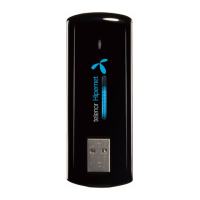
The ZTE MF626 HSDPA USB Modem is a multi-mode, 3G modem designed for use with GSM/GPRS/WCDMA/HSDPA networks. It features a USB interface for easy connection to laptop and desktop PCs, enabling wireless communication for SMS and data services. The modem allows users to break free from time and geographical limitations, providing connectivity anytime, anywhere.

Function Description:

The modem primarily offers SMS service, data service, applied management, and data concurrency. It also supports a MicroSD card for additional storage. The accompanying software, "GLOBUL Connection Manager," provides a user-friendly interface for managing these functions.

Key Features:

  • Internet Connectivity: Connects to the internet via HSDPA/UMTS/GPRS/GSM networks. The software displays connection status, data sent/received, and connected time. Users can connect and disconnect with a single click.
  • SMS Management: Allows users to read, create, reply to, forward, move, delete, and save SMS messages. Messages can be stored on the PC or the SIM card. The interface shows the number of messages in the inbox, outbox, and draft box, as well as SIM card capacity.
  • Phonebook: Enables users to save and manage contacts on the PC or SIM card. Each contact record can include a name, mobile phone number, family phone number, office phone number, email, and group name. Users can create new contacts, modify existing ones, delete contacts, send SMS to contacts, and search for contacts.
  • Settings: Provides various configuration options, including:
    • Connection Settings: Allows adding, deleting, editing, and setting default connection profiles. Users can configure parameters like APN, dial number, username, password, DNS, and PDP address.
    • Security Settings: Includes options to enable/disable PIN code and modify it. It also offers a backup and resume function for phonebook, internet connection records, and SMS data stored on the PC.
    • Network Settings: Users can choose between automatic or manual network selection and specify the preferred network mode (Automatic, UMTS Only, or GSM Only). Manual selection allows users to view available networks and select one.
    • Messages Settings: Configures the SMS center number, validity period for saving SMS on the network side (12 hours, a day, a week, or the longest period), and the default location for saving new SMS (Default, SIM Card, or PC).
    • Alert Settings: Allows users to customize audio alerts for connection, disconnection, and incoming SMS. Supported audio formats include MP3, WAV, WMA, and MIDI. Users can also mute alerts.
  • MicroSD Card Support: When a MicroSD card is inserted, it appears as a removable disk, allowing users to freely access and manage its contents.

Important Technical Specifications:

  • Interface Type: USB 2.0 high speed
  • Systems Supported: Most types of laptop and desktop PCs.
  • Operating Systems: Windows 2000, XP SP2, Vista; Apple MAC OS X 10.3, 10.4, 10.5
  • Network Standards: HSDPA/UMTS/GPRS/GSM
  • Frequency Band:
    • HSDPA/UMTS: 2100 MHz
    • GSM/GPRS: 1900/1800/900/850 MHz
  • Transmission Speed:
    • UMTS: 384Kbps UL (Uplink)
    • HSDPA: 3.6Mbps DL (Downlink)
  • Temperature:
    • Storage: -20°C ~ +60°C
    • Operation: -10°C ~ +55°C
  • Dimensions: 69 mm x 26.5 mm x 12 mm
  • Weight: About 30g
  • T-flash Capability: Supports up to 4GB MicroSD (Note: The manual states maximum 2GB MicroSD card is supported in one section, and up to 4G in another. For practical purposes, users should verify the exact maximum supported capacity).

Usage Features:

  • LED Indications: A multi-color LED provides visual cues for the modem's status:
    • Red: Error status, or modem not ready/busy starting up.
    • Green blinking: Attached to GPRS network.
    • Green burning: Active connection via GPRS network.
    • Purple blinking: Attached to UMTS or HSDPA network.
    • Purple burning: Active connection via UMTS network.
    • Blue burning: Active connection via HSDPA network.
  • Mini Icons: When minimized, the software displays system icons on the taskbar to indicate modem status (inserted, not inserted, offline), SIM card status (inserted, not inserted), network signal, new messages, and internet connection status (ready to connect, already connected).
  • Tray Icon Menu: Right-clicking the tray icon provides options for Device Offline/On-line, Factory Settings, Help, About, and Exit.

Maintenance Features:

  • Software Installation/Uninstallation: The software can be installed automatically or manually from the CD-ROM. Uninstallation is straightforward through the "Start -> Programs" menu.
  • SIM Card Installation/Removal: Instructions are provided for correctly inserting and removing the SIM card, emphasizing careful handling to avoid damage to the socket.
  • MicroSD Card Installation: Instructions are provided for inserting the MicroSD card, ensuring the metal contact side faces the modem.
  • Troubleshooting (FAQ): The manual includes a comprehensive FAQ section to address common problems such as installation issues, connection failures, no signal, inability to open web pages, and MicroSD card detection problems, along with possible causes and solutions.
  • Factory Settings: The "Factory Settings" option in the tray icon menu allows restoring all settings in the USB modem to their original values, without affecting PC software settings.
  • Backup and Resume: The security settings allow manual backup of phonebook, internet connection records, and SMS data to the computer, with an option to resume previous data if mistakes occur.
  • Professional Repair: Users are advised that only qualified maintainers should undertake repair work, and non-professionals should not dismantle the device.


Zte MF626 Specifications

General IconGeneral
BrandZte
ModelMF626
CategoryModem
LanguageEnglish

Related product manuals