3.5.1 Connection Settings
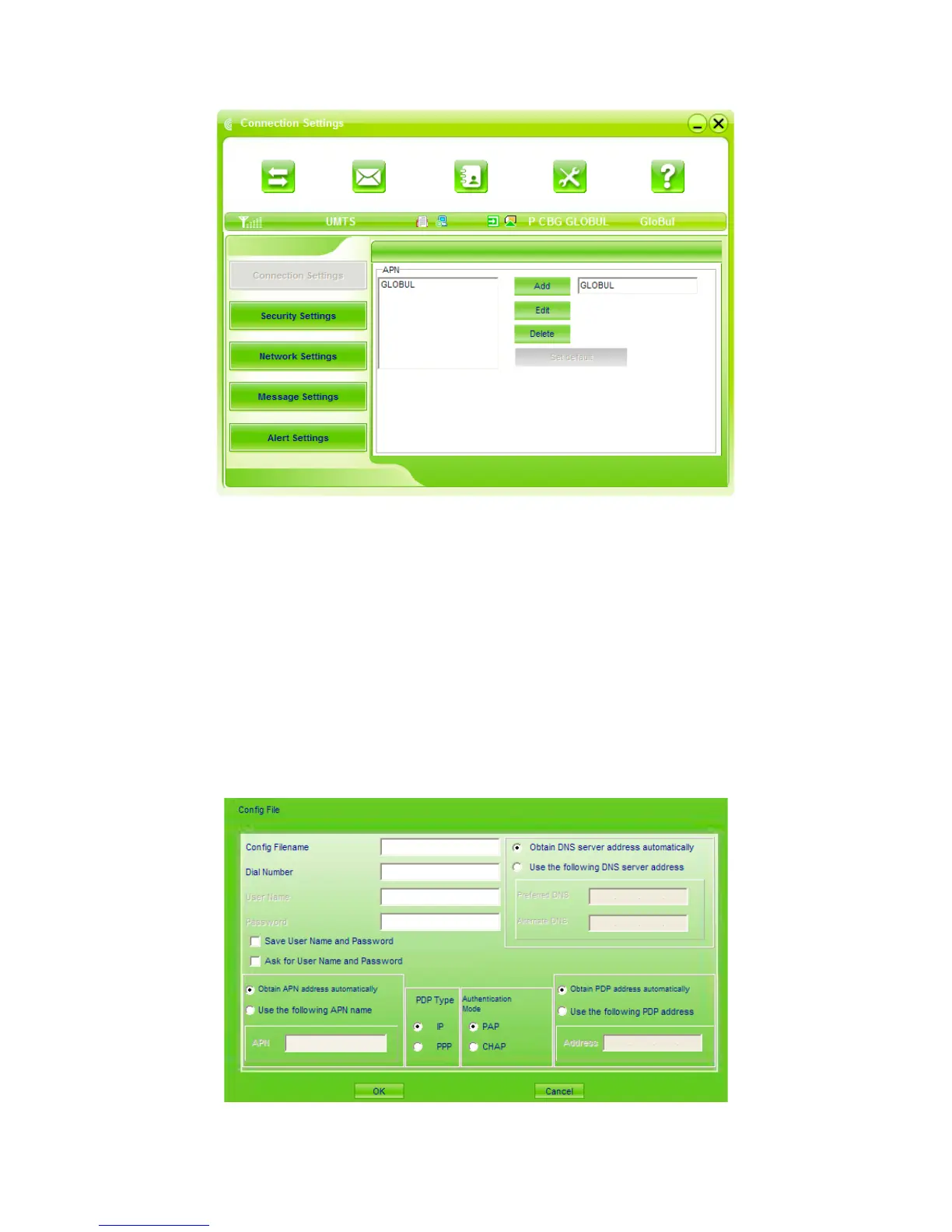
To ensure that the modem can connect the Internet properly, you should configure the connection
information first.
1. Button description
Add: Add new configuration files.
Delete: Delete the selected configuration files.
Edit: Edit the selected configuration files.
Set Default: Select one configuration file from the list, and set it as the current using files.
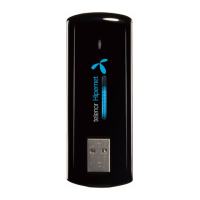
2. Config File
Select “add” to add new connection information to the system. The “Config File” screen wills
popup:



 To Next Page