1.7 LED indications
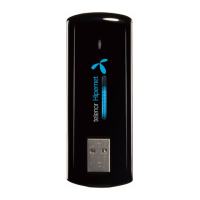
In the USB Modem there is a multi-colour-LED (light), which shows the status of the modem, using
different colours and flash-signalling. In this table below an explanation is given of all different
situations:
LED indication USB Modem working status
Red Error Status, or Modem not ready yet, busy starting up
Green blinking Attached to GPRS network
Green burning Active connection via GPRS network
Purple blinking Attached to UMTS or HSDPA network
Purple burning Active connection via UMTS network
Blue burning Active connection via HSDPA network



 To Next Page