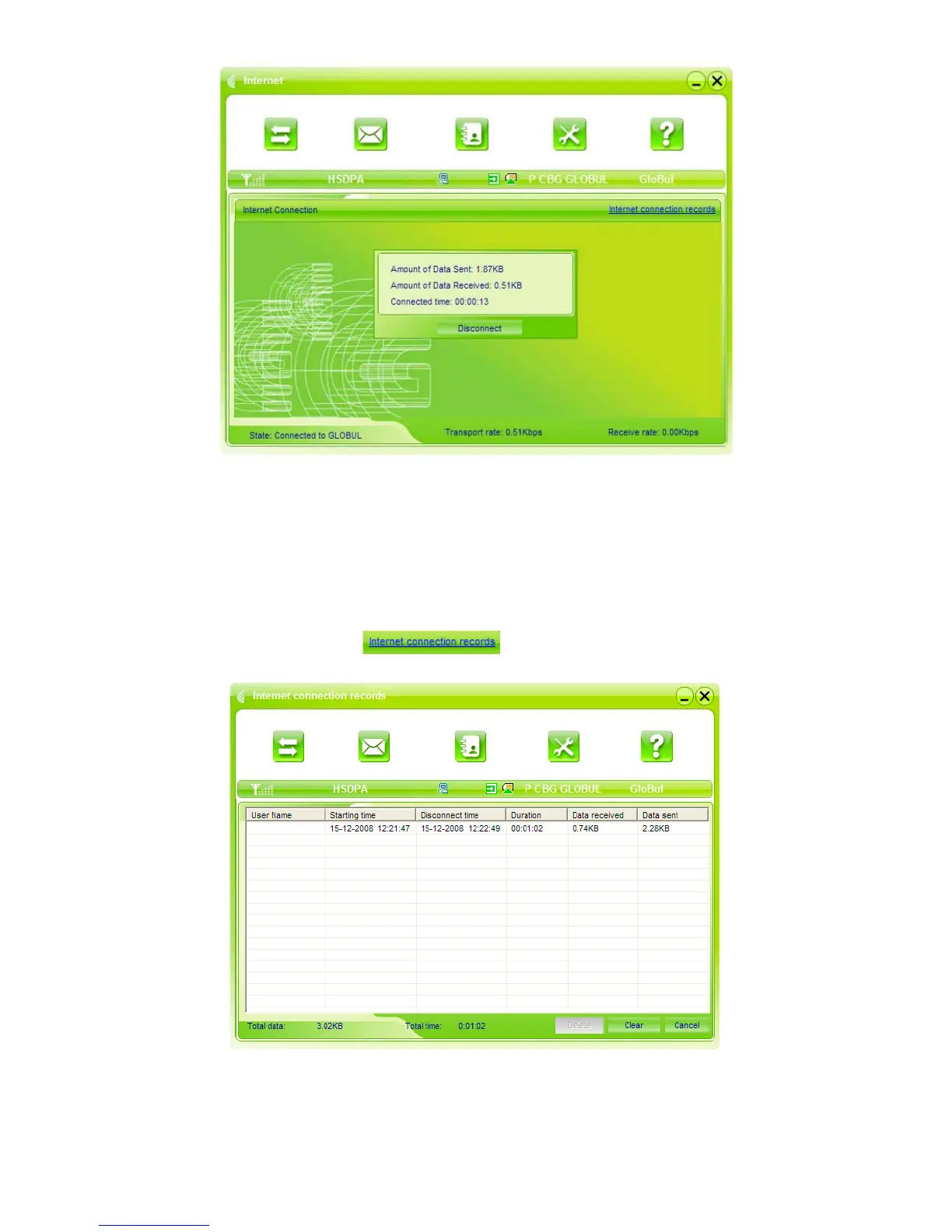
You can click “Disconnect” to stop the connection when the “Connect” 'button becomes “Disconnect”
button,
Note: The modem has the function of locking the SIM card. If you use the SIM card provided by the
other network provider, maybe you can’t connect to the network. If you have any problem, you can
consult your network provider for further information.
2. Internet connection records:
Click “Internet connection records”
, to check the log of Internet connection history.



 To Next Page