Need help?
Do you have a question about the Zultys ZIP 33G and is the answer not in the manual?
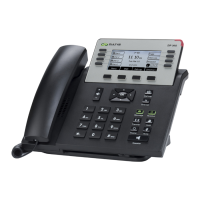
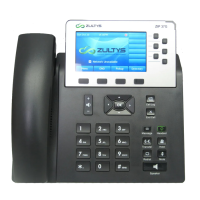
Diagram illustrating the Zultys ZIP 33G phone layout, including soft keys, navigation, and programmable keys.
Instructions on setting up and accessing voicemail using the message button and VMail PIN.
Guidance on accessing voicemail remotely using an access number, extension, or direct phone number.
Methods for answering an incoming call using handset, speaker, headset, or end call button.
Procedure for answering a new call while on an existing call, placing the current call on hold.
Instructions for placing calls on hold and resuming them using the hold or resume soft key.
System hold feature to park calls, showing a park number and clearing the screen.
Instructions for picking up any ringing phone or a specific extension.
Procedures for supervised, blind, and voicemail transfers using the transfer button.
Steps to initiate and manage conference calls with multiple parties using the conference button.
Using intercom to call extensions and paging for broadcasting messages to groups.
The Zultys ZIP 33G is a sophisticated IP phone designed for business communication, offering a wide range of features for efficient call management and voicemail access. It integrates seamlessly into a YipTel voice, video, and data network, providing users with a robust and user-friendly experience.
The Zultys ZIP 33G serves as a primary communication endpoint, enabling users to make and receive calls, manage voicemails, participate in conference calls, and utilize various call transfer and pickup functionalities. It is designed to enhance productivity in a professional environment by streamlining communication processes. The phone's interface includes a display screen, a dialpad, programmable keys, and dedicated soft keys for quick access to common functions.
While the manual primarily focuses on usage, the implied maintenance involves ensuring the device is connected to a stable network and power source. For any operational issues or advanced configurations, users are directed to contact YipTel support via phone or email, indicating that troubleshooting and technical maintenance are handled by service providers rather than end-users. Regular software updates, if applicable, would typically be managed remotely by the service provider to ensure optimal performance and security. The device is designed for reliability within a managed IP telephony environment, minimizing the need for direct user maintenance beyond basic operation.
 General
| Ethernet Ports | 2 |
|---|---|
| Number of Lines | 3 |
| Bluetooth | No |
| Wi-Fi | No |
| Protocols | SIP |
| Speakerphone | Yes |
| Headset Port | RJ9 |
| Type | IP Phone |
| Display | Graphical LCD |
| Audio Codecs | G.711, G.729 |
| Power over Ethernet | 802.3af |

 To Next Page