7 (c) 2012 Z-Wave Europe GmbH, Goldbachstr. 13, 09337 Hohenstein-Ernstthal, Germany, www.zwaveeurope.com
humidity. Refer to the section of Z-Wave's Configuration for settings of auto report configuration.
Low Battery Report
When the battery level of the detector drops to an unacceptable level, the Low Battery icon will appear on the LCD and the
detector will emit ALARM_REPORT command to the nodes of Grouping 1.
Grouping 2 (Max. Node = 3)
When the detector is triggered, it will emit BASIC_SET_COMMAND to the nodes of Grouping 2.
Please refer to the table below for the setting of basic set command.
Note:
If the Z-Wave mode is OFF, no command will be sent even the Temp./Humid. Detector has been triggered. If Z-Wave mode is ON
and the detector has been triggered, the device will send commands to nodes of Grouping 2.
If the Z-Wave mode reading is 00, it implies no node ID has been allocated by Z-Wave Controller. Please execute inclusion mode as
described in the manual.
4. Beep Tone
To set the beep tone, press Select Mode button and select MODE 8. The Beep Tone icon flashes. Press Max. for ON and Min. for
OFF. If it is ON, a beep tone will be sounded whenever a button is pressed; 4 continuous beep tones will be sounded for 1 second if
the detector has been triggered.
Wakeup Intervals - how to communicate with the device?
W This device is battery operated and turned into deep sleep state most of the time to save battery life time. Communication with
the device is limited. In order to communicate with the device, a static controller C is needed in the network. This controller will
maintain a mailbox for the battery operated devices and store commands that can not be received during deep sleep state.
Without such a controller, communication may become impossible and/or the battery life time is significantly decreased.
This device will wakeup regularly and announce the wakeup state by sending out a so called Wakeup Notification. The controller
can then empty the mailbox. Therefore, the device needs to be configured with the desired wakeup interval and the node ID of the
controller. If the device was included by a static controller this controller will usually perform all necessary configurations. The
wakeup interval is a tradeoff between maximal battery life time and the desired responses of the device.
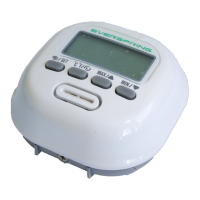
Quickly clicking three times on the Linking button on the front of the device will issue a Node Information Frame and keep the
device awake to receive configuration commands.
It is possible to set the node ID to 255 to send wakeup notifications as broadcast. In this mode device takes more time to go to
sleep and drains battery faster, but can notify all it's direct neighbors about a wakeup.
Node Information Frame
NIF The Node Information Frame is the business card of a Z-Wave device. It contains information about the device type and the
technical capabilities. The inclusion and exclusion of the device is confirmed by sending out a Node Information Frame. Beside this
it may be needed for certain network operations to send out a Node Information Frame.
Quickly clicking three times on the Linking button on the front of the device will issue a Node Information Frame and keep the
device awake to receive configuration commands.
Associations
A Z-Wave devices control other Z-Wave devices. The relationship between one device controlling another device is called
association. In order to control a different device, the controlling device needs to maintain a list of devices that will receive
controlling commands. These lists are called association groups and they are always related to certain events (e.g. button


 To Next Page
 Loading...