Need help?
Do you have a question about the ZWO ASI Mount 3 and is the answer not in the manual?
Introduction to the ZWO ASI Mount 3 and the purpose of this user manual.
Critical safety guidelines and operational recommendations for using the AM3.
A comprehensive list of all items included in the AM3 mount package.
Highlights the key capabilities and advantages of the AM3 mount.
Detailed performance parameters and technical data for the AM3.
Identification and description of the main physical parts of the AM3 mount.
Overview of the hand controller's buttons, indicators, and connection methods.
Step-by-step instructions for physically installing the AM3 mount onto a tripod.
Guidance on connecting the hand controller and optional accessories to the AM3.
Procedures for installing optional accessories like pier extensions and counterweights.
Instructions for attaching and connecting the ASIAIR device to the AM3 mount.
Detailed steps for setting the mount's latitude angle accurately.
How to adjust the azimuth scale for proper mount alignment.
Procedures for switching between Equatorial and Alt-Azimuth operational modes.
Guide to controlling the mount using PC software and ASCOM drivers.
Instructions for controlling the AM3 wirelessly using a smartphone app.
Steps for connecting and operating the AM3 mount using the ASIAIR system.
Technical diagrams showing the physical dimensions of the AM3 mount.
Information on software updates, repairs, and contacting customer support.
Details regarding the product's warranty period, coverage, and claim process.
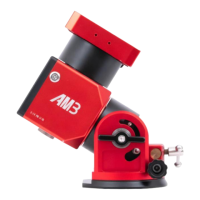
The ZWO ASI Mount 3 (AM3) is a sophisticated strain wave gear German equatorial mount designed for astrophotography, emphasizing portability, precision, and high performance. It integrates modern intelligence and advanced technology to offer a balanced solution for both amateur and experienced astrophotographers. The AM3 is not merely a lightweight design; it prioritizes stability and durability, ensuring reliable operation in various conditions.
The AM3 serves as a versatile astronomical mount, capable of operating in two distinct modes: equatorial mode and alt-azimuth mode. This dual-mode functionality makes it suitable for both visual observation and deep-sky astrophotography. In equatorial mode, the mount tracks celestial objects by rotating along a single axis (the Right Ascension axis) to compensate for the Earth's rotation, keeping the object stationary in the telescope's field of view. This is crucial for long-exposure astrophotography to prevent star trails. In alt-azimuth mode, the mount moves along both altitude and azimuth axes, which is generally preferred for casual visual observing or terrestrial viewing, as it simplifies setup by not requiring precise polar alignment.
The core of the AM3's functionality lies in its strain wave gears, which are specifically designed for astrophotography. These gears provide high-precision control and stable, large torque output, contributing to low periodic error, a critical factor for sharp astrophotography. The mount also incorporates belt drives in both axes, achieving a 300:1 reduction ratio for enhanced precision.
A key feature is its ability to be controlled through multiple interfaces. Users can operate the AM3 via a dedicated hand controller, a smartphone application ("ASI Mount" App) through Wi-Fi or Bluetooth, or via a PC using ASCOM or INDI protocols. This multi-connection capability offers flexibility and convenience, allowing users to choose their preferred control method based on their setup and location.
The mount includes a "Home Position" design, enabling it to quickly and easily return to a mechanical home position from any orientation. This is important for consistent startup and accurate GoTo operations. Furthermore, a power-off brake on the RA axis prevents the telescope and attached equipment from falling in the event of a power failure, adding a layer of safety for valuable equipment.
The AM3 is designed for ease of use, from initial setup to advanced operation. Its lightweight nature (3.9kg) makes it highly portable, facilitating transport to dark-sky locations. Despite its light weight, it boasts a substantial load capacity of 8kg without a counterweight, which can be extended to 13kg with an optional 5kg counterweight, accommodating a wide range of telescope setups.
Setting up the mount involves unfolding a compatible tripod (such as the ZWO carbon fiber TC40), attaching a silver mounting plate to the AM3's base, and then securing the AM3 onto the tripod. Optional accessories like a pier extension can be installed to increase height and stability. The counterweight system, if needed, is straightforward to install, involving unscrewing a safety lock, screwing in the counterweight shaft, attaching the counterweight, and re-securing the safety lock.
Latitude adjustment is a critical aspect of setting up an equatorial mount, and the AM3 offers a broad range from 0° to 90°. It features two "gears" for latitude adjustment: Gear 1 for 0° to 60° and Gear 2 for 30° to 90°. This adjustment is made by loosening hex screws and using a fine adjustment knob. Azimuth adjustment is similarly managed with fine adjustment knobs, which should be kept slightly tightened to prevent wobble.
The hand controller provides intuitive control over the mount's movements. It features a stick for controlling both axes, with switchable high and low slew speeds (ranging from 1X to 1440X sidereal rate). A "T" button toggles tracking on and off, while a "Cancel" button allows for stopping slews, returning to the Home Position, or switching between equatorial and alt-azimuth modes. The hand controller also includes a Wi-Fi adapter, enabling wireless control of the mount.
The "ASI Mount" smartphone app enhances usability by offering basic and important functions like "Tonight's Best," target GoTo, and a real-time star database. The app also allows for firmware upgrades of both the mount and hand controller. For PC control, the AM3 is compatible with ASCOM and INDI protocols, allowing integration with popular astrophotography software like ASIStudio, NINA, MaxIm DL, and SGP.
Switching between equatorial and alt-azimuth modes is a simple procedure involving the hand controller and power cycling the mount. This flexibility ensures the AM3 can adapt to different observing and imaging needs. When installing a telescope in alt-azimuth mode, users are reminded to ensure the telescope faces the correct direction to avoid GoTo and tracking errors.
The AM3 incorporates design elements that contribute to its longevity and stable performance. Its fully-sealed structure is a significant maintenance feature, as it prevents the strain wave gears from exposure to rust, dust, and dew. This protection is crucial for maintaining the precision and stability of the gears over time, reducing the need for frequent cleaning or internal maintenance.
The mount is designed to operate within a recommended temperature range of -15°C to 40°C, indicating its robustness for various environmental conditions. Adhering to this range helps prevent equipment malfunction and damage.
Users are advised against disassembling the mount without ZWO certificates, as inappropriate disassembly can damage the mount, reduce its accuracy, or even cause personal injury. This emphasizes the precision engineering of the device and the importance of professional servicing if required. Similarly, using corrosive solutions for cleaning is discouraged, as it can damage the surface oxide layer. Gentle cleaning methods are recommended to preserve the mount's finish and functionality.
The AM3's software and hardware control system, maintained and upgraded by a professional team, ensures the stability of the entire system. This ongoing support means that the mount's performance can be sustained and improved through firmware updates, which can be conveniently performed via the smartphone app.
In terms of physical handling, the AM3 is described as a sophisticated instrument, and careful handling is advised to avoid damage or a reduction in slewing and tracking accuracy. This highlights the delicate nature of its internal mechanisms and the importance of user care. The power-off brake on the RA axis, while a usage feature, also contributes to maintenance by preventing potential damage to the telescope and mount during unexpected power interruptions.
 General
| Max Payload | 5 kg |
|---|---|
| Motor Type | Stepper motor |
| Power Consumption | 12V, 2A |
| Type | Equatorial |
| Tracking Accuracy | RMS: 5 arcsec |
| Power Supply | DC 12V |
| Communication Port | USB |

 To Next Page