Need help?
Do you have a question about the ZWO ASI294MC and is the answer not in the manual?
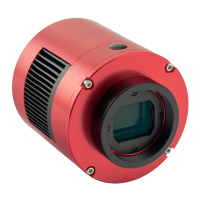
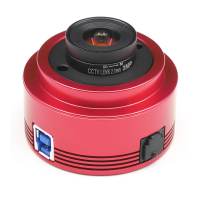
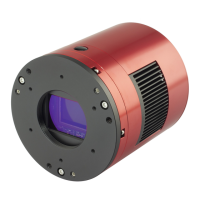
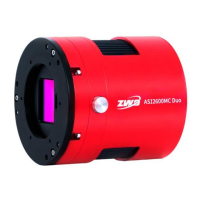
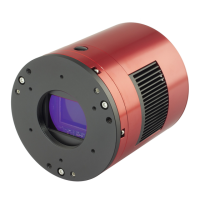
The ASI294 Camera is a specialized device designed for astronomical photography, suitable for both deep-sky object (DSO) imaging and planetary imaging. It offers superior performance and versatility for various astrophotography needs.
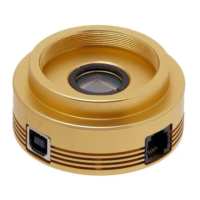
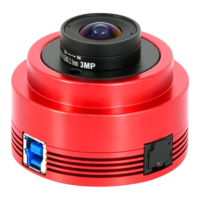
The camera is available in several models: ASI294MC (color, uncooled), ASI294MM (mono, uncooled), ASI294MC Pro (color, cooled), and ASI294MM Pro (mono, cooled). The choice between mono and color cameras depends on the user's specific needs and experience level. Mono cameras generally offer higher sensitivity and are better suited for high-demand shooting tasks, but they require additional accessories like filter wheels and filters, and involve more complex post-processing. Color cameras are recommended for new users due to their simpler workflow.
For long exposures, TEC (Thermoelectric Cooler) cooling is a significant feature, as it helps reduce dark current noise. Cameras without TEC cooling are typically recommended for planetary imaging or short exposures (under one second), where dark current noise is very low. For DSO imaging, cooled cameras are preferred due to the necessity of long exposures.
The ASI294 Pro camera models incorporate a robust, regulated cooling system that allows the camera sensor to maintain a desired temperature throughout an imaging session. This feature, combined with super low readout noise and adjustable gain settings, enables short or "lucky" DSO imaging, a departure from traditional CCD cameras that often require very long exposures per frame. The lowest achievable temperature for the sensor is typically -35°C to -40°C below ambient, though cooling is not beneficial for very short exposures (less than 100ms).
A key component of the ASI294 Pro camera is its 256MB (2Gb) DDR3 memory buffer. This buffer enhances data transfer reliability and helps minimize "amp-glow," an artifact that can occur with slower transfer speeds, particularly when the camera is connected via a USB 2.0 port.
The camera's sensor is protected by an AR-coated window, which safeguards it from dust and humidity. This protective window has a diameter of 32mm and a thickness of 2mm.
The ASI294 camera offers flexible recording options with both 14-bit and 12-bit Analog-to-Digital Converter (ADC) modes. Opting for 12-bit ADC (high-speed mode) allows for faster frames per second (fps). The camera also supports Region of Interest (ROI) shooting, where smaller ROI ranges can further increase fps. Additionally, the ASI294 camera supports software binning modes, including bin2, bin3, and bin4.
In terms of power consumption, the ASI294 camera is efficient, with a maximum consumption of 1.85W when powered by USB. For cooling, a 12V@5A DC adapter (5.5×2.1mm, center pole positive) is recommended, though lithium batteries with 11-15V are also suitable. The cooler's Maglev fan operates only when the cooler power supply is connected.
The camera's back focus distance is 6.5mm when the 11mm T2 Extender is removed.
Connecting the camera to various astronomical equipment is made easy with a range of available adapters. These include adapters for scopes, DSLR lenses, and other accessories. Some adapters are included with the camera, while others can be ordered separately. For cooled cameras, a holder ring can be used to mount the camera to a tripod, featuring a 1/4" screw.
For software upgrades and technical information, users can refer to the official website. The website also provides detailed tutorials for connecting cooled cameras and achieving optimal back focus length solutions.
Maintenance features include instructions for cleaning the camera. The AR protect window shields the sensor from dust and humidity. If cleaning is necessary, it is recommended to do so during the daytime. To identify dust, users can set up their telescope, point it to a bright area, and use a Barlow lens to clearly see any dust. Attaching the camera and adjusting the exposure to avoid overexposure will reveal dust spots. Dim spots on the image typically indicate dust on the protective window, while very small, dark spots suggest dust on the sensor. Dust on the protective window can often be removed with a manual air pump. Cleaning dust from the sensor requires opening the camera chamber, and detailed instructions for this, as well as for redrying the desiccant, are available on the manufacturer's website.
The camera comes with a 2-year warranty, covering repair or replacement for free if the camera malfunctions within this period. After the warranty, repair and service are provided on a charged basis. The warranty does not cover damage resulting from abuse, misuse, falls, or transportation failures after purchase. Customers are responsible for shipping costs when returning the camera for repair or replacement. For customers who purchased the camera from a local dealer, the dealer is responsible for customer service.
 General
| Brand | ZWO |
|---|---|
| Model | ASI294MC |
| Category | Digital Camera |
| Language | English |


 To Next Page