EasyManua.ls Logo

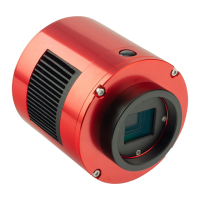
ZWO ASI - User Manual

ZWO ASI
45 pages
Print Icon
To Next Page IconTo Next Page
Loading...
ASI Cameras User Guide
Revision 1.3
Nov, 2013
All material in this publication is subject to change without notice and is
copyright Zhen Wang Optical company.
Question and Answer IconNeed help?

Do you have a question about the ZWO ASI and is the answer not in the manual?

Summary

Instruction

Whats Included in the Box?

Lists all components included with the ASI camera package.

Getting Started with the Camera

Attaching Nosepieces

Illustrates how to attach the 1.25" nosepieces to the camera and telescope.

ASI Camera Driver Setup

Driver Installation

Details the step-by-step process for installing the ASI camera driver software.

Driver Update

Driver Uninstall

Software Usage

Basic Usage

Covers initial camera connection and basic operation using amcap software.

Planetary Imaging Software

Recommends SharpCap and Firecapture for planetary imaging software.

Best Performance Settings

Tips on adjusting FPS and avoiding USB peripherals for optimal camera performance.

Capture Parameter Setting

Explains recommended settings for Gamma, Gain, and Exposure for image capture.

Auto Guider

ASCOM Driver

Guider with PHD Guiding

Guides on connecting the ASI camera with PHD Guiding using the ASCOM driver.

Auto Guider with MaxIm DL

Details steps for connecting ASI camera to MaxIm DL for autoguiding via ASCOM.

Other Third-Party Software Support

PHD Guiding (WDM)

How to select the ASI camera from the WDM menu in PHD Guiding.

GM (GuideMaster)

MaxIm-DL

MetaGuide

Astroart

Cleaning

Mechanical Drawing

QE Graph

Summary

Instruction

Whats Included in the Box?

Lists all components included with the ASI camera package.

Getting Started with the Camera

Attaching Nosepieces

Illustrates how to attach the 1.25" nosepieces to the camera and telescope.

ASI Camera Driver Setup

Driver Installation

Details the step-by-step process for installing the ASI camera driver software.

Driver Update

Driver Uninstall

Software Usage

Basic Usage

Covers initial camera connection and basic operation using amcap software.

Planetary Imaging Software

Recommends SharpCap and Firecapture for planetary imaging software.

Best Performance Settings

Tips on adjusting FPS and avoiding USB peripherals for optimal camera performance.

Capture Parameter Setting

Explains recommended settings for Gamma, Gain, and Exposure for image capture.

Auto Guider

ASCOM Driver

Guider with PHD Guiding

Guides on connecting the ASI camera with PHD Guiding using the ASCOM driver.

Auto Guider with MaxIm DL

Details steps for connecting ASI camera to MaxIm DL for autoguiding via ASCOM.

Other Third-Party Software Support

PHD Guiding (WDM)

How to select the ASI camera from the WDM menu in PHD Guiding.

GM (GuideMaster)

MaxIm-DL

MetaGuide

Astroart

Cleaning

Mechanical Drawing

QE Graph

ZWO ASI Specifications

General IconGeneral
BrandZWO
ModelASI
CategoryDigital Camera
LanguageEnglish

Related product manuals