Need help?
Do you have a question about the ZWO ASI120MC-S and is the answer not in the manual?
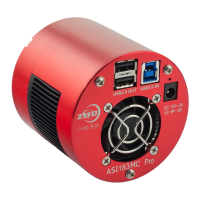
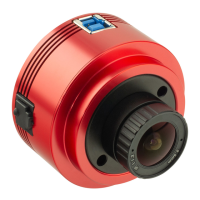
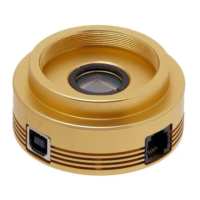
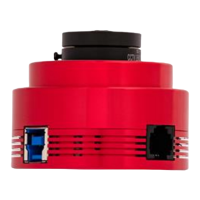
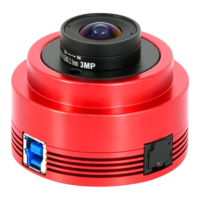
Details the physical layout and connection ports for ASI120 camera models.
Explains the IR-CUT and AR filters used for sensor protection against dust.
Describes the ASI120's 12-bit ADC and lists maximum frame rates.
Covers software bin2 mode and its impact on ADC usage and speed.
The ZWO ASI120 camera is an excellent choice for those new to astronomy photography, offering impressive performance and versatile usage at an affordable price. This manual provides a comprehensive guide to understanding, using, and maintaining your ASI camera.
The ASI120 camera is primarily designed for planetary imaging but can also be used for deep-sky imaging to a certain extent. A notable feature of the newer ASI120-S version is the inclusion of an ST4 Auto Guider Port, allowing it to be used for both imaging and guiding, enhancing its functionality for astrophotographers.
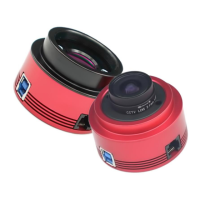
There are four main models of the ASI120: ASI120MM (Mono, USB2.0), ASI120MC (Color, USB2.0), ASI120MM-S (Mono, USB3.0), and ASI120MC-S (Color, USB3.0). Monochrome camera sensors offer higher detail and sensitivity compared to color sensors, but they require additional accessories like filters and involve more complex post-processing. For beginners, a color camera is often recommended due to its simpler workflow. The ASI120-S models, equipped with a USB3.0 port, offer faster data transfer speeds compared to their USB2.0 counterparts.
The camera package includes the ASI120 camera body, a 2-meter long ST4 guider cable, a 1.25" cover, an M42-1.25" T-Mount, a 2-meter long USB3.0 cable (for -S models), and a Driver & Extra Software CD compatible with Mac, PC, and Linux.
The ASI120 camera features a 12-bit Analog to Digital Converter (ADC) and supports Region of Interest (ROI) shooting, which allows for faster frame rates when capturing smaller areas. For instance, the ASI120MM/MC can achieve up to 35 FPS at full 1280x960 resolution, while the ASI120MM-S/MC-S can reach 60 FPS at the same resolution. The camera also supports software bin2 mode, which is recommended for users who prioritize image quality over speed, especially when using 10-bit ADC.
Connecting the camera to a telescope is straightforward. For color cameras, you typically connect the camera directly to a 1.25" T-Mount, with an optional 1.25" filter. For mono cameras, the setup might involve a 1.25" T-Mount, an optional 1.25" filter, an M42-1.25" adapter, and an M42-M42 male screw thread, often incorporating a filter wheel (ZWO-MFW) for advanced imaging. The camera also includes a 1/4" screw mount, allowing it to be easily attached to a tripod.
Maintenance of the ASI120 camera primarily involves cleaning the protect window and, if necessary, the sensor itself. Both the ZWO ASI120MC and ASI120MC-S cameras come with a D21 IR-CUT protect window, which is 21mm in diameter and 1.1mm thick, designed to prevent humidity and dust from reaching the sensor. The ASI120MM and ASI120MM-S models come with a D21 AR protect window.
To check for dust, set up your telescope and point it towards a bright area. Attach the camera and adjust the exposure to avoid overexposure. A Barlow lens can help make dust particles clearer. Dust on the protect window appears as large, dim spots, while dust on the sensor appears as very small, dark spots.
The recommended method for cleaning is to first try blowing the dust away with a manual air pump. If dust remains, especially on the sensor, you will need to open the camera body by unscrewing the cover counter-clockwise. When cleaning, it is crucial to take precautions to prevent scratches or further dust contamination, as the sensor is an optical device.
For cleaning persistent dirt, the following equipment and procedure are suggested:
For software upgrades and other technical information, refer to the "Support" section on the official ZWO website. Repairs and servicing are available by contacting ZWO directly via email. For customers who purchased the camera from a local dealer, the dealer is responsible for customer service. ZWO provides a 2-year warranty for its products, offering free repair or replacement if the camera malfunctions within the warranty period. After the warranty, repair support and service are provided on a charged basis. The warranty does not cover damage resulting from abuse, misuse, falls, or transportation failures after purchase. Customers are responsible for shipping costs when returning the camera for repair or replacement.
 General
| Sensor | CMOS |
|---|---|
| Resolution | 1280 x 960 |
| Pixel Size | 3.75 µm |
| Max Frame Rate | 60 fps |
| Interface | USB 2.0 |
| Cooling | No |
| Back Focus Distance | 12.5mm |
| ROI | Yes |
| Sensor Size | 1/3" |
| Shutter | Electronic |
| Bit Depth | 12-bit |
| Adapter | 1.25" |


 To Next Page