Customizing Settings
When power has been connected, the SEU and RDU will begin to monitor the CO2 & O2 concentration. In order
to the get the timely alarm safety information and meet the personal requirements, it is advisable to set up the
customizing parameter when necessary.
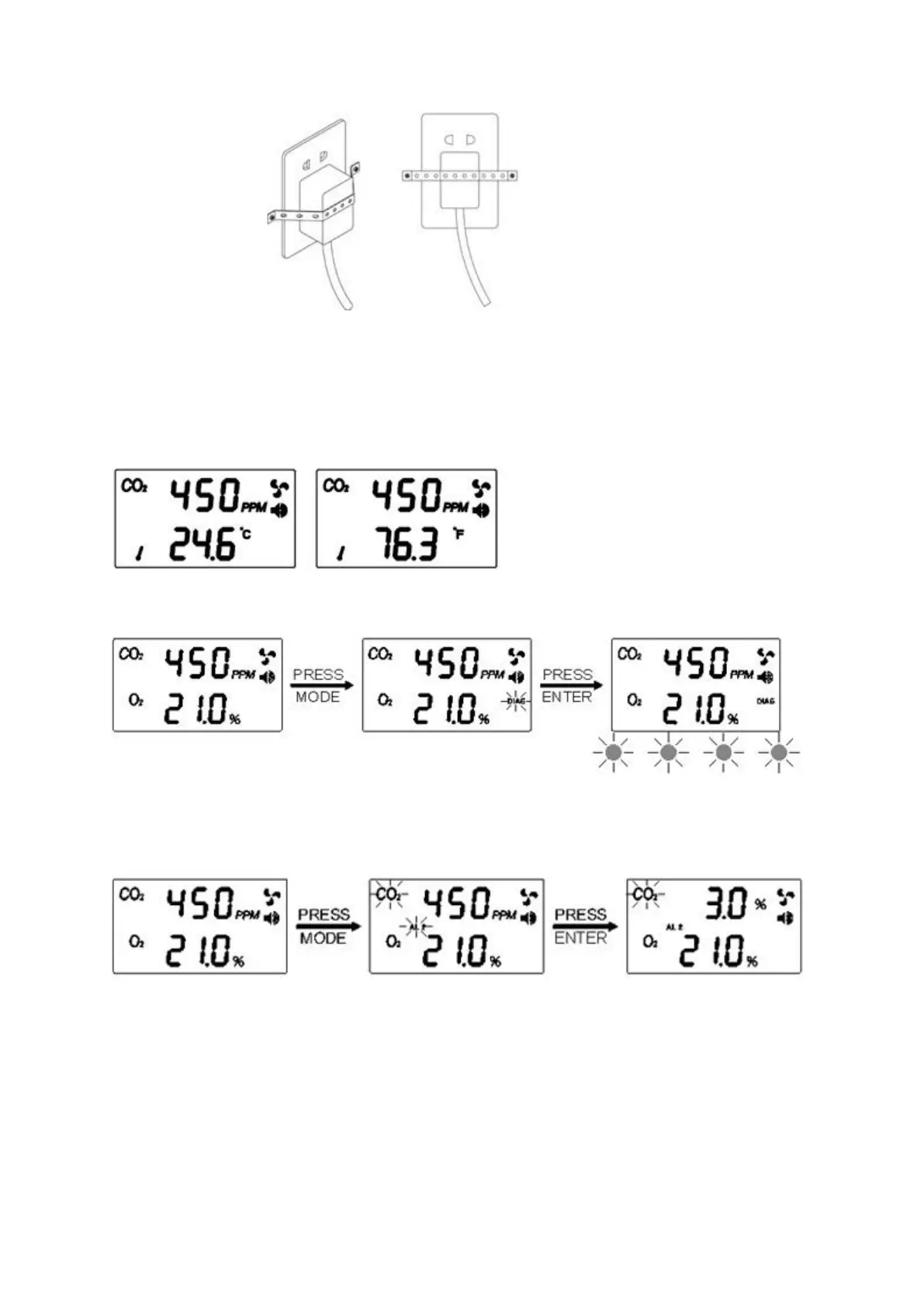
Temperature °C/°F
1. Press "Enter" to switch between °C and °F temperature
Using the DIAG function
1. Press Mode until the "DIAG" icon flashes
2. Press Enter, the four LED’s will blink on the SEU and the buzzer will sound
3. The four LED’s will blink and buzzer will sound simultaneously on the RDU
Setting the CO2 First Alarm parameter
1. Press Mode until the “AL2” icon flashes
2. Press Enter, the “AL2” icon shows on LCD
3. Press Mode to go through “1.5%,2%,2.5%,3%,3.5%,4%” alarm level
4. Press Enter again to save the setting after selection
*Note: The second alarm level should be higher than the first alarm level when setting with the alarm level
parameter.



 To Next Page