SH30 Network Horn Speaker User Guide
Alternative DNS: Enter an alternative DNS server address, when the primary
DNS fails, alternative DNS will be used.
6.2 Time
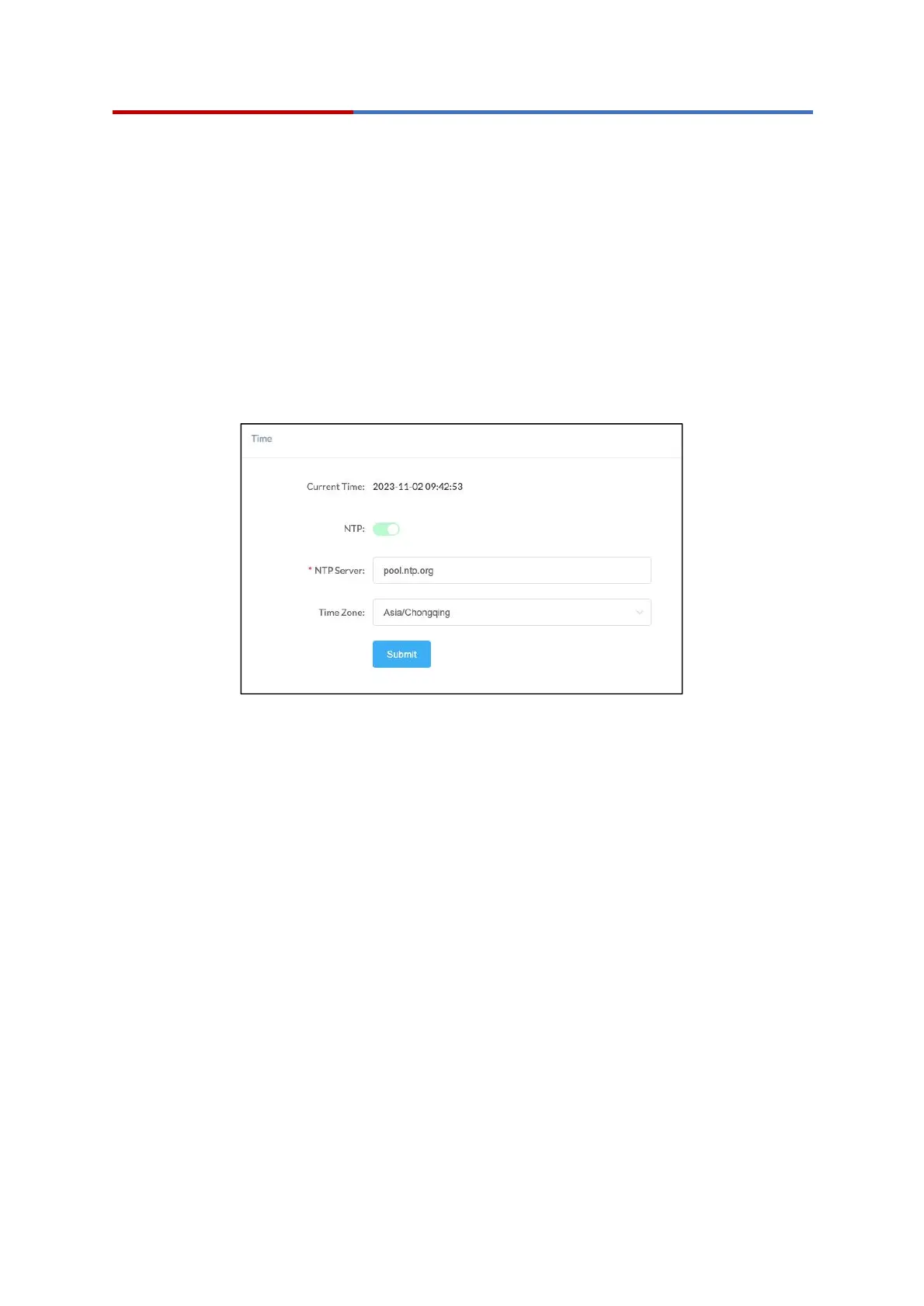
SH30 obtains the time from the network time servers using NTP.
To change the NTP settings, please go to System --> Time page.
Time Settings
Current Time: Display the current system time of the device.
NTP: Enable/Disable using NTP to obtain the time.
NTP Server: The network time server used to obtain the time.
Time Zone: Set the time zone used by the device.
6.3 Account
For resetting the current device’s password, please go to Settings --> Password Settings
page.



 To Next Page