EasyManua.ls Logo

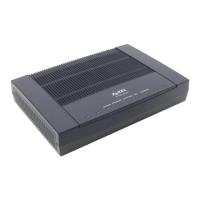
ZyXEL Communications PRESTIGE 334 - User Manual

ZyXEL Communications PRESTIGE 334
10 pages
Print Icon
To Next Page IconTo Next Page
Loading...
Prestige 334
Intelligent Broadband Sharing Gateway
Version 3.60
December 2003
Quick Start Guide

Other manuals for ZyXEL Communications PRESTIGE 334

Questions and Answers

  • K
    Kimberly JonesJul 30, 2025
    Why can't I get a WAN IP address from my ISP on ZyXEL Communications Gateway?
    • S
      Susan PetersonJul 30, 2025
      If you cannot obtain a WAN IP address from your ISP, it might be because the ISP verifies the MAC address, host name, or user ID. To resolve this, first determine the verification method your ISP uses and then configure the corresponding settings. If the ISP checks the WAN MAC address, clone the MAC address from a LAN computer by going to WAN, then the MAC tab, and select 'Spoof this Computer's MAC address - IP Address' and enter the IP address of the computer on the LAN whose MAC address you are cloning. If the ISP checks the host name, enter your computer’s name in the System Name field. If the ISP checks the user ID, go to WAN, then the ISP tab, and verify your service type, user name, and password.
  • J
    James LoganAug 6, 2025
    What to do if I cannot access the Internet using ZyXEL Communications Gateway?
    • R
      Ryan HowardAug 6, 2025
      If you cannot access the Internet, begin by checking the ZyXEL Communications Gateway’s connection to the cable/DSL device, ensuring it is properly connected. Also, verify whether your cable/DSL device requires a crossover or straight-through cable. Additionally, check your settings by clicking WAN to ensure they are correctly configured.
  • J
    Julian NixonAug 11, 2025
    How to fix 'Cannot access the Prestige from the LAN' on ZyXEL Communications Gateway?
    • M
      Melissa GriffinAug 11, 2025
      If you cannot access the ZyXEL Communications Gateway from the LAN, check the cable connection between the Gateway and your computer or hub. Ensure that the connection is secure. You can also ping the Gateway from a LAN computer to test the connection. Also, make sure your computer Ethernet card is installed and functioning properly.
  • M
    msimpsonAug 18, 2025
    What to do if I cannot ping any computer on the LAN using ZyXEL Communications Gateway?
    • T
      Tanner WoodAug 18, 2025
      If you cannot ping any computer on the LAN and the 10/100M LAN LEDs are off, check the cable connections between the ZyXEL Communications Gateway and your LAN computers. Also, verify that the IP address and subnet mask of the Gateway and the LAN computers are in the same IP address range.
  • A
    Aaron SalinasAug 23, 2025
    Why none of the LEDs turn on when I turn on ZyXEL Communications Gateway?
    • K
      Kenneth HigginsAug 25, 2025
      When none of the LEDs turn on when you turn on the ZyXEL Communications Gateway, make sure that you have the correct power adapter connected to the Gateway and plugged in to an appropriate power source. Check all cable connections. If the LEDs still do not turn on, you may have a hardware problem.

Summary

Introducing the Prestige

Internet Account Information

Required details for setting up your internet connection.

View Product Certification

Steps to find and view product certifications online.

Hardware Installation

Rear Panel Connections

Details the physical ports on the rear of the Prestige device.

Front Panel LED Indicators

Explains the status and color of front panel LEDs.

Prepare Your Computer

Windows 2000;NT;XP Setup

Instructions for configuring Windows 2000, NT, and XP for network access.

Check Computer IP Address

Verify computer IP address settings for network communication.

Configure Prestige Device

Access Via Web Configurator

Steps to access and use the web-based configuration interface.

Internet Access Setup Wizard

Guided setup process for configuring internet access.

WAN IP & DNS Configuration

Settings for assigning the WAN IP address and DNS servers.

Troubleshooting Guide

ZyXEL Communications PRESTIGE 334 Specifications

General IconGeneral
WAN Ports1
LAN Ports4
LAN Ports Speed10/100 Mbps
FirewallYes
VPN SupportYes
ADSL Downstream Data Rate8 Mbps
ADSL Upstream Data Rate1 Mbps
ATMYes
Connectivity TechnologyWired
Data Link ProtocolEthernet, Fast Ethernet
Network / Transport ProtocolTCP/IP, PPTP, L2TP
WAN InterfaceADSL
SecurityNAT
ManagementWeb-based
Operating Temperature0°C to 40°C
Storage Temperature-20°C to 70°C

Related product manuals