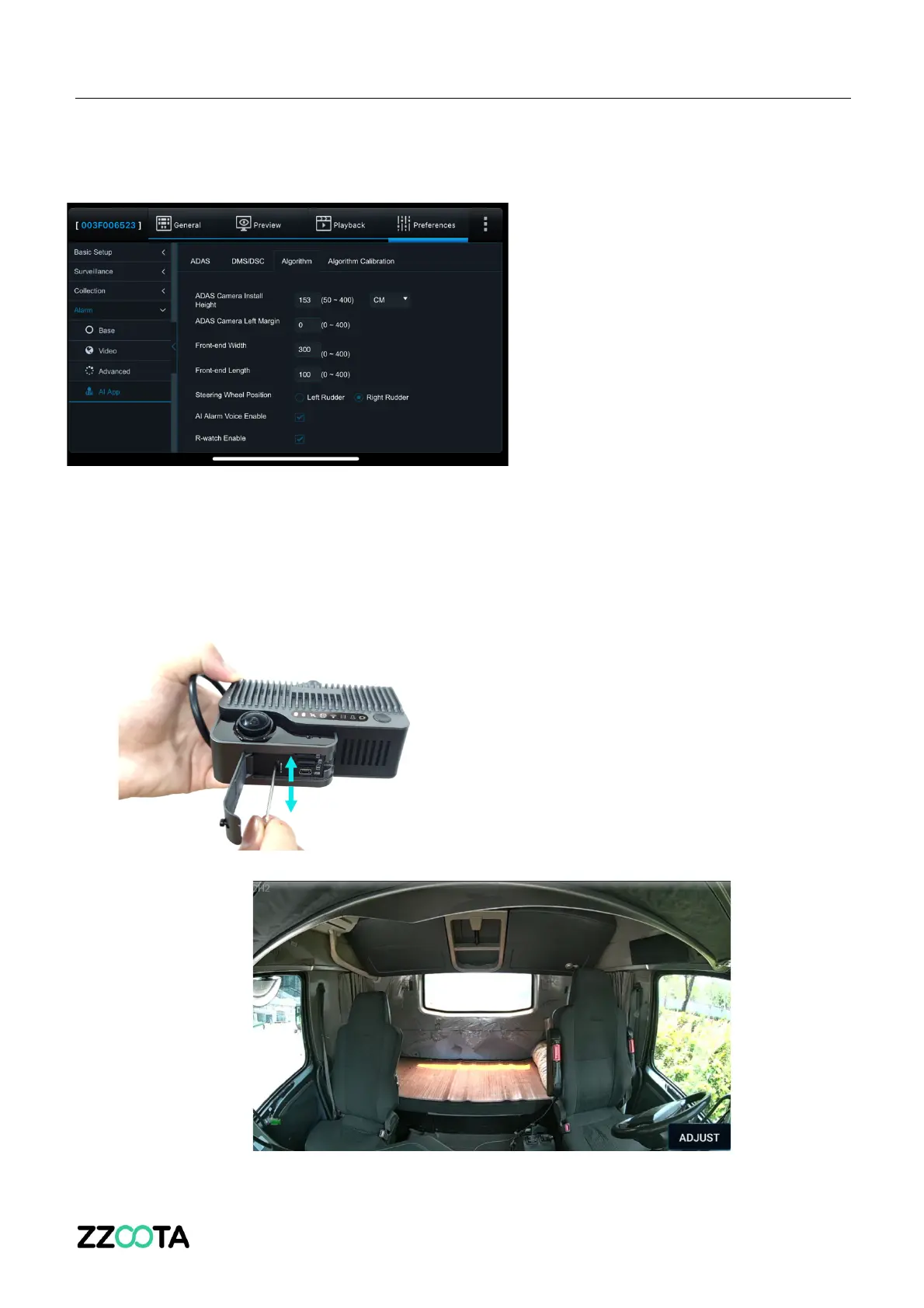
6. Input the ADAS Camera Install Height and Front-end Width (this is the internal
cabin width of the vehicle), leave all other fields as is, then press OK to save.
3. Adjust the SharpAi-ADAS in-cabin camera lens angle
Click [Preview] on the operation interface of the Veyes app to enter the preview interface
and double-click channel 2 to enlarge the cockpit screen.
Open the card slot panel at the bottom of the ADAS.
Insert the L-shaped socket head wrench into the
cabin camera angle adjustment hole to adjust the
angle of the cabin camera lens.
Adjust the cabin camera lens to meet the following
conditions:
1) The centre console in the cabin is in the center of the screen


 To Next Page
 Loading...