2) The image of the cabin is horizontal
3) The steering wheel of the vehicle is displayed at the left/right lower corner of the
screen.
4. ADAS Calibration Left/Right Indicators Setup & Vehicle Height Confirmation
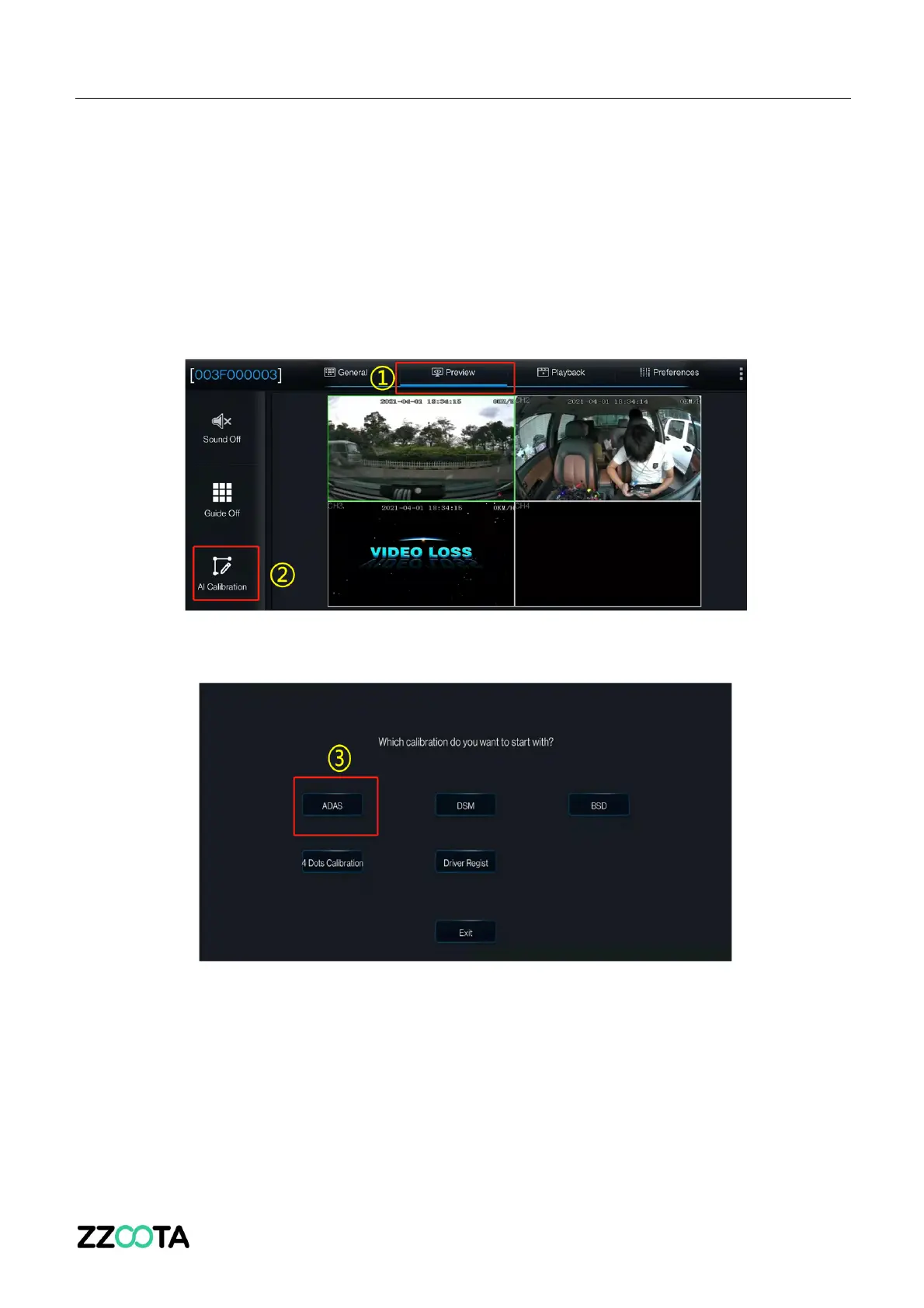
1. On the home screen, tap Preview. The Preview screen is displayed.
2. Tap AI Calibration on the lower left corner.
3. Tap ADAS for calibration.



 To Next Page