EasyManua.ls Logo

180 INNOVATIONS KD-2250 - User Manual

180 INNOVATIONS KD-2250
8 pages
Print Icon
To Next Page IconTo Next Page
Loading...
DIGITAL TEMPLE THERMOMETER
KD-2250
Safety Instructions...................................................1
Device Description and Intended Use.......................2
About Body Temperature..........................................3
Contraindications.....................................................3
Device/Display Overview & Quick Start
Device Overview....................................................4
Display Overview...................................................4
Quick Start............................................................4
Explanation of Symbols............................................5
Battery Installation...................................................5
Setting
Memory Function......................................................7
Use
Measurement Consideration..................................8
Doing a Measurement............................................8
Cleaning & Disinfection..........................................9
Care and Storage....................................................10
Product Specification ..........................................11
Troubleshooting.....................................................12
Warranty .................................................................12
FCC STATEMENT.....................................................13
Table of Contents
INSTRUCTION MANUAL
Distributed by : 180 INNOVATIONS LAKEWOOD,CO 80215
Manufactured by: K-jump Health Co.,Ltd.
Made in China www.180innovations.com
Question and Answer IconNeed help?

Do you have a question about the 180 INNOVATIONS KD-2250 and is the answer not in the manual?

Summary

Safety Instructions

Warnings and Cautions

Essential safety warnings and precautions for operating the digital thermometer.

Device Description and Intended Use

Overview of the electronic thermometer and its intended application for measuring body temperature.

Body Temperature Information

About Body Temperature

Information on normal body temperature ranges and daily fluctuations.

Contraindications

Situations and conditions where the thermometer should not be used for accurate readings.

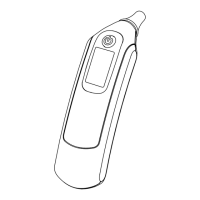
Device Overview

Identification and description of the thermometer's physical components.

Getting Started

Display Overview

Explanation of the thermometer's display screen elements and symbols.

Quick Start Guide

A concise guide to begin using the digital thermometer for the first time.

Device Features

Explanation of Symbols

Definitions of various symbols used on the device and in its manual.

Battery Installation

Step-by-step instructions for installing and replacing batteries.

Settings and Functions

Setting Temperature Scale

Instructions to switch between Celsius (°C) and Fahrenheit (°F) temperature scales.

Memory Functions

Managing stored temperature readings, including recalling and deleting.

Using the Thermometer

Measurement Considerations

Factors affecting temperature measurement accuracy and preparation steps.

Performing a Measurement

Detailed step-by-step guide for taking a temperature reading.

Maintenance and Care

Cleaning and Disinfection

Guidelines for cleaning and disinfecting the thermometer probe and body.

Drying and Storage

Instructions for drying the device after cleaning and proper storage conditions.

Technical Information

Product Specifications

Technical details and specifications of the digital temple thermometer.

Troubleshooting

Common issues encountered with the device and their solutions.

Warranty Information

Details about the product warranty, coverage, and exclusions.

Regulatory Information

Serial Number Information

Explanation of the serial number format indicating manufacturing date.

FCC Statement

Information regarding FCC compliance and potential radio/television interference.

Overview

This document describes the 180° INNOVATIONS DIGITAL TEMPLE THERMOMETER (Model KD-2250), an electronic device designed for measuring human body temperature using the forehead (temple area) as the measurement site. It is suitable for use with adult and pediatric patients in a household environment.

Function Description:

The thermometer provides a quick and reliable temperature reading by sensing the temperature at the temporal artery area on the temple. It features a digital display for easy reading and includes a memory function to recall previous measurements. The device is designed for intermittent determination of patient temperature.

Important Technical Specifications:

  • Measuring site: Temple
  • Measuring time: 6 seconds
  • Measuring Range: 95.0~107.6°F (35.0~42.0°C)
  • Accuracy:
    • <96.4°F or >106.0°F: ±0.5°F
    • <35.8°C or >41.0°C: ±0.3°C
    • 96.4~98.0°F or 102.0~106.0°F: ±0.3°F
    • 35.8~37.0°C or 39.0~41.0°C: ±0.2°C
    • 98.0~102.0°F: ±0.2°F
    • 37.0~39.0°C: ±0.1°C
  • Resolution: 0.1°F (0.1°C)
  • Measurement unit: °F (°C) (selectable)
  • Memory sets: 9 sets
  • Operating condition: 60.8~104.0°F (16~40°C), R.H. of 15~95% non-condensing
  • Storage condition: -4°F~120°F (-20~50°C), R.H. of 15~95% non-condensing
  • Battery: AAA battery x 2pcs
  • Battery Life: More than 1000 measurements
  • Auto Shut Off: After 60 seconds of inactivity
  • Dimension: 87mm x 26mm x 26mm
  • Weight: 45g including battery
  • Warranty: 1 year
  • Guarantee of Quality: Certification ISO 13485, Complies with ASTM-E1112

Usage Features:

  • Quick Start: Simply install batteries, press the ON/OFF button, place the probe on the temple, and wait for a few seconds for the measurement to complete with a beep.
  • Display Overview: The LCD displays the measured value, measurement unit (°F or °C), memory indication (MEM), and a low battery indicator. An hourglass symbol indicates waiting for setting.
  • Unit Selection: Users can switch between Celsius (°C) and Fahrenheit (°F) scales. To do this, with the device off, press and release the ON/OFF button, then immediately press and hold it again for about 2 seconds until the unit changes.
  • Memory Function: The device stores up to 9 previous temperature readings. To recall memories, turn the device off, then press and hold the ON/OFF button until the last record shows. Subsequent presses will cycle through the previous records.
  • Memory Deletion: All stored records can be deleted. To do this, recall memories (as above), then press and hold the ON/OFF button for about 3 seconds until "dEL" appears. Press and release again to confirm deletion.
  • Measurement Guidance: For accurate readings, ensure the measuring site is dry, clean, and free of sweat and cosmetics. Place the probe firmly on the temple area, located between the outer corner of the eye and the hairline, right on top of the temporal artery area. Do not move the probe during measurement.
  • Fever Alarm: The device will beep continuously if the temperature reading is higher than 99.5°F.
  • Backlight: The display backlight changes color based on the temperature reading:
    • Green Backlight: T ≤ 37.1°C (T ≤ 98.9°F)
    • Yellow Backlight: 37.2 ≤ T ≤ 37.4°C (99 ≤ T ≤ 99.4°F)
    • Red Backlight: 37.5 ≤ T (99.5 ≤ T°F)
  • Automatic Shut-Off: The device automatically turns off after 60 seconds of inactivity to conserve battery life.

Maintenance Features:

  • Cleaning and Disinfection:
    • Pre-cleaning: Wash with cold water several times.
    • Cleaning: Clean the probe with a 5-10% mild detergent solution for 10-15 seconds. Continuously clean with cold water to remove chemical residues. Rinse with drinking or distilled water to ensure removal of all cleaning agent remnants. Repeat if necessary. A final wipe with a clean cloth prevents water stains.
    • Disinfection: Wipe the probe with a cloth dipped in a 70-75% isopropyl (rubbing) alcohol solution for at least 10 minutes. Ensure a disinfectant-free rinse without residues.
    • Drying: Air-dry the device at room temperature (68-86°F) for 30-60 minutes after cleaning and disinfection.
  • Battery Replacement: When the low battery indicator appears, replace both AAA batteries simultaneously with new ones, ensuring correct polarity. Do not dispose of batteries in fire.
  • Care and Storage:
    • Avoid dropping or crushing the device. It is not shock-proof.
    • Do not dismantle or modify the device except for battery replacement.
    • Store in an environment free from direct sunlight, extreme temperatures, high humidity, or severe dust.
    • The unit is not water-proof; do not immerse it in water or any liquid.
    • Do not use corrosive detergents or harsh cleaners.

Safety Instructions and Warnings:

  • Read the entire manual before use.
  • Clean the device before first use and before/after each measurement to prevent cross-contamination.
  • Do not use if malfunctions occur or if it operates abnormally.
  • Keep out of reach of unsupervised children.
  • Avoid use near flammable materials, scarred tissue, open wounds, or abrasions.
  • Be aware that certain medications or extreme skin exposure (sunlight, fireplace, AC) can affect readings.
  • Allow the device to return to room temperature for at least one hour if stored in extreme temperatures.
  • Do not touch the probe unless taking a measurement.
  • Do not bite or swallow the probe or battery cover.
  • Avoid contact with thinner or chemical solvents.
  • If components are swallowed, contact a physician immediately.
  • Do not put the unit in a dishwasher.
  • Performance may degrade if operated/stored outside stated temperature/humidity ranges or if patient's temperature is below ambient.
  • Use indoors only, away from mobile phones or microwave ovens (minimum 3.3 meters distance for devices exceeding 2W).
  • Readings are for reference; consult a physician if feeling sick.
  • Wait at least 30 minutes after exercising, bathing, or eating before measuring.
  • Dispose of the device and batteries according to local regulations.

Troubleshooting:

  • "H" symbol: Reading is higher than measuring range; redo measurement.
  • "Er.1": Out of operating condition.
  • "Er.2": Poor contact or movement during measurement. Ensure skin and probe are clean, sensor is in close contact with temple, and avoid body movement.
  • "Er.3": Device self-diagnostic error; contact the distributor.

180 INNOVATIONS KD-2250 Specifications

General IconGeneral
Brand180 INNOVATIONS
ModelKD-2250
CategoryThermometer
LanguageEnglish

Related product manuals