2 EASY
-11-
To be able to change any default settings go first into Programming Mode by typing in
Default Master Code 1234 #
and type in the corresponding codes. Touch to exit the Setting Mode
MK MODULE
Parameters Setting
Setting items Setting range Default
value
Setting
code
Reset all settings 1,2,3,4
-
00
Setting the master code
1 ~ 12 digits
Valid keys:0 ~ 9
1234 01
• The Defaults are:
ascancelbuttonand#asconrmbutton
• # “confirm”button should be used after every change made
• If no activity for 10sec, system exits Programming Mode automatically
11
22 33
00 ##
77
88 99
44
55 66
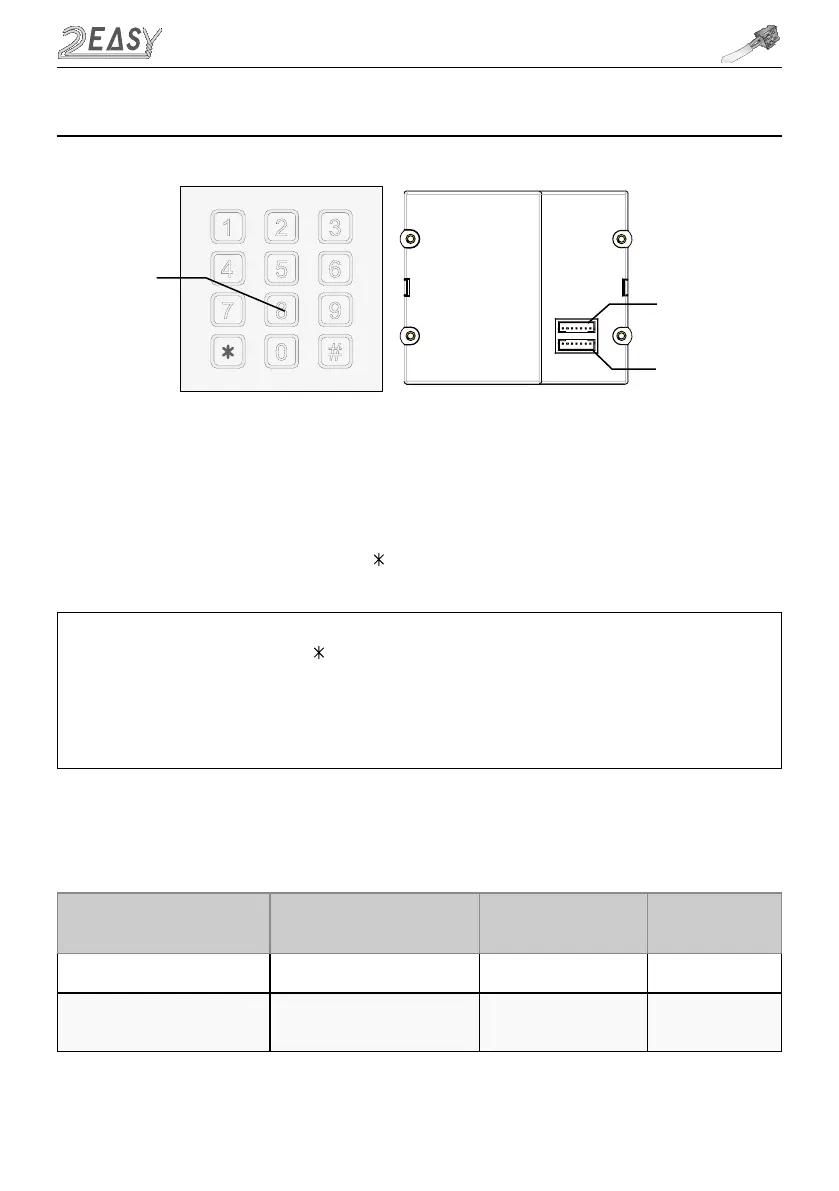
Mechanical
keypad
Connect to main
or last module
Connect to next
module
IN
OUT
7. MK (MECHANICAL KEYPAD) Module
Programming Codes Tables



 To Next Page