2 EASY
-13-
MK MODULE
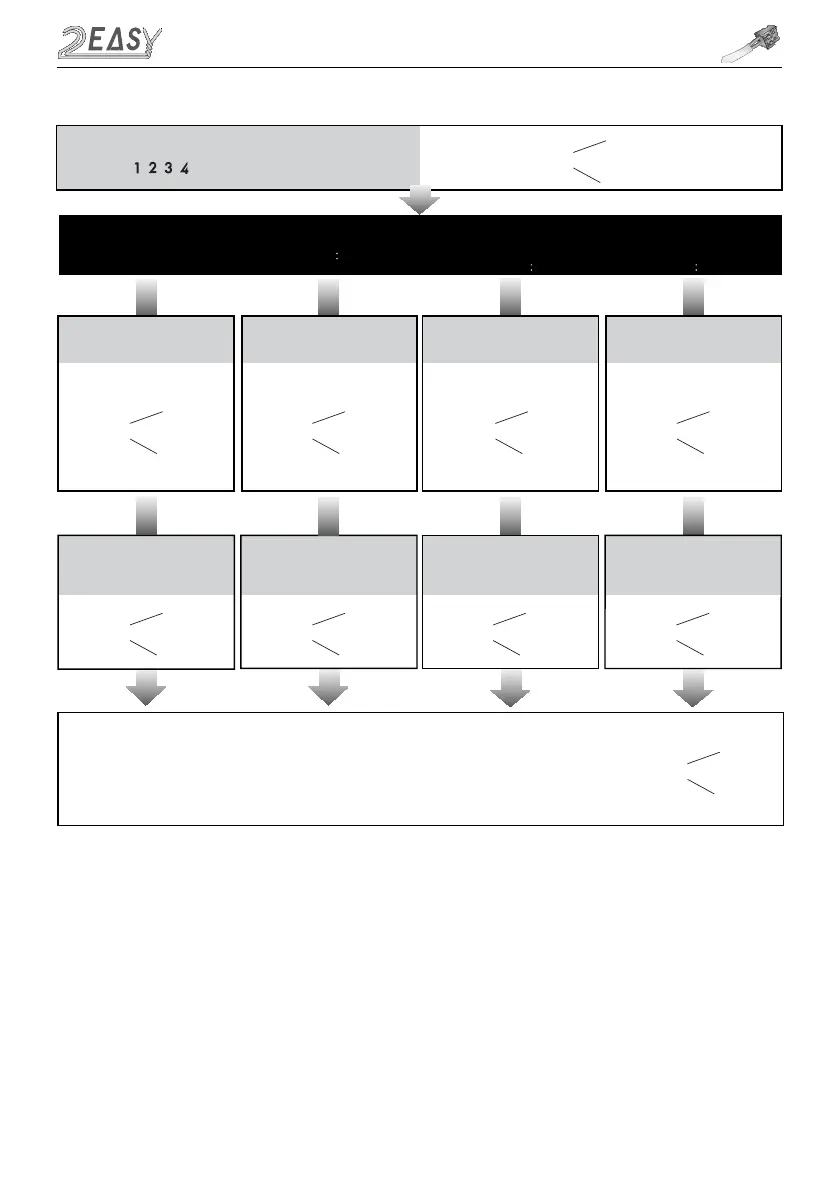
Input the master code.
Default: # #
- All settings will restore to their
default value
s
-
When power on or activate
‘Reset all settings’,the keypad
checking will carry out, during
this time,the key illumination
will blink and the touch
operation is not possible.
When finished, keys
illumination will stop blinking
and long beep will sound
- The
M
aster
password
is allowed
1~12 digits
. The user password
can not be the same as Master
password. It is recommended that
you change the default Master
password
- The unlock
ing
time can be set
on either
video
monitor
or
door
station, and the valid value is the
number you set last
Beep+, Beep
Beep+, Beep Beep+, Beep Beep+, Beep Beep+, Beep
Beep+ Beep+ Beep+ Beep+
Type in code range:00 or
10~99
Type in code range:01~99
3.Setting the key
illumination time
4.Setting the
unlock time
2.Setting the master code
(Default 1234)
(Default 10s)
(Default 5s)
Type in new master code
(1~12 digits)
Type in the setting code
Type in
Type in the setting code
1.Reset all settings
00 #
1234 # 4321 #
01 #
10 # 09 #
Type in the setting code
02 #
Type in the setting code
03 #
- If the key illumination time is set
to 00,the key illumination will
stay
lit at all times
- If the key illumination time is set to
10~99,the key illumination will light
up for 10~99 seconds
before
turning off. Default is 10 sec
-
When the “ cancel” key is pressed, the indicator will show its standby color, the buzzer beeps
twice
, and the
system exits the setting mode
-
When there isn’t any operation in 10s, the buzzer beeps
twice
, and the system exits the setting mode
Beep, Beep+
*
-
When setting failure, the buzzer beeps
twice



 To Next Page