2 EASY
-14-
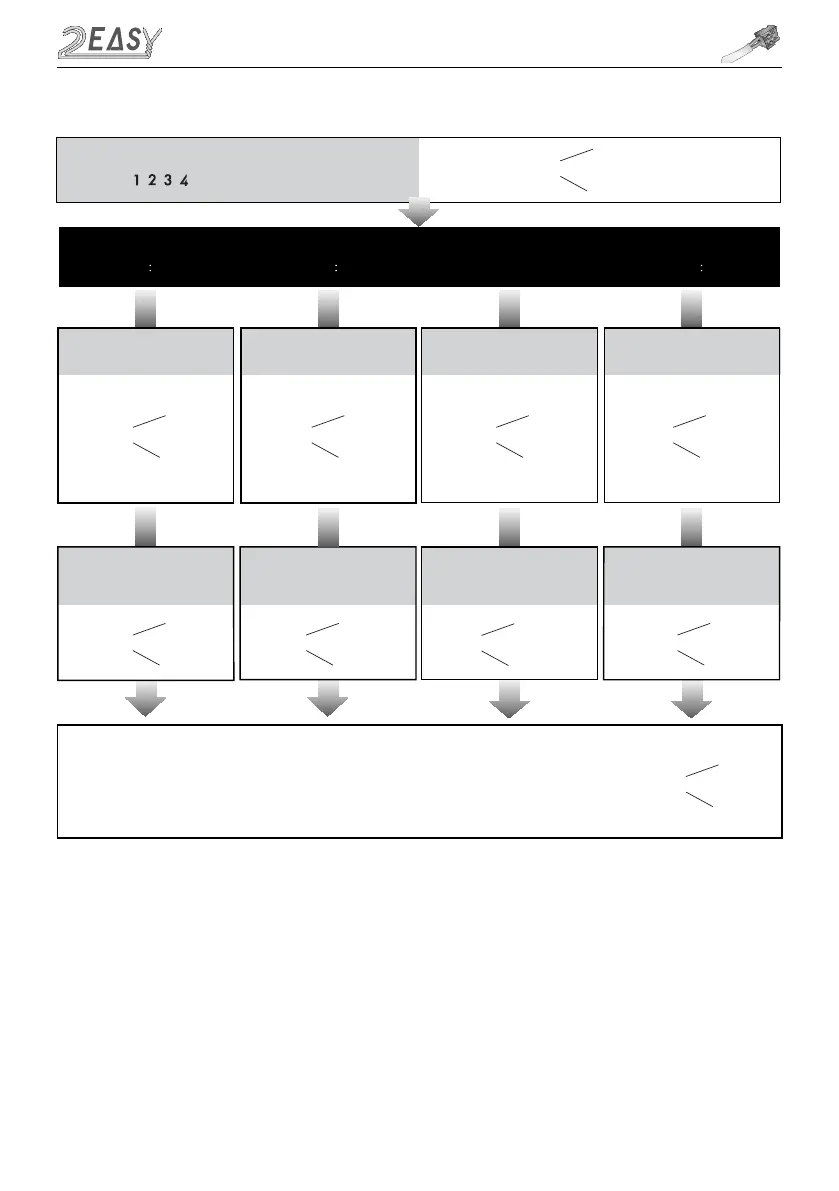
Input the master code.
Default: # #
Beep+, Beep Beep+, Beep Beep+, Beep Beep+, Beep
Beep+
Beep+Beep+ Beep+
7.Reset code setting 8. &# function setting 6.Setting operation tone
(Default ON)
(Default Normal)(Default 0(opened))
Type in the setting code
Type in code
Type in the setting code
5.Setting the unlock mode
04 # 05 #
0:(NO) / 1:(NC)
1 #
0/1
0/1 0/1
1 # 1 #1234 #
Type in the setting code
06 #
Type in the setting code
07 #
0 or 1
Type in code 0 or 1 Type in code Type in code
0:(On) / 1:(Off) 0:(normal) / 1:(reverse)
*
*
*
- The unlock mode can be set on
either video monitor or door
station, and the valid value is the
number you set last
- When the operation tone is
set to 0, keyboard clicks are
sound
- When the operation tone is
set to 1, keyboard clicks are
silent
- Cancel all passwords except
master password
- Restore the master
password to a default
1,2,3,4
- When is set to 0, button is to
cancel the input, # button to
confirm the input
- When is set to 1, button is to
confirm the input, # button to
cancel
Beep+, Beep
-
When the “ cancel” key is pressed, the indicator will show its standby color, the buzzer beeps
twice
, and the
system exits the setting mode
-
When there isn’t any operation in 10s, the buzzer beeps
twice
, and the system exits the setting mode
Beep, Beep+
*
-
When setting failure, the buzzer beeps
twice
MK MODULE



 To Next Page