2 EASY
-15-
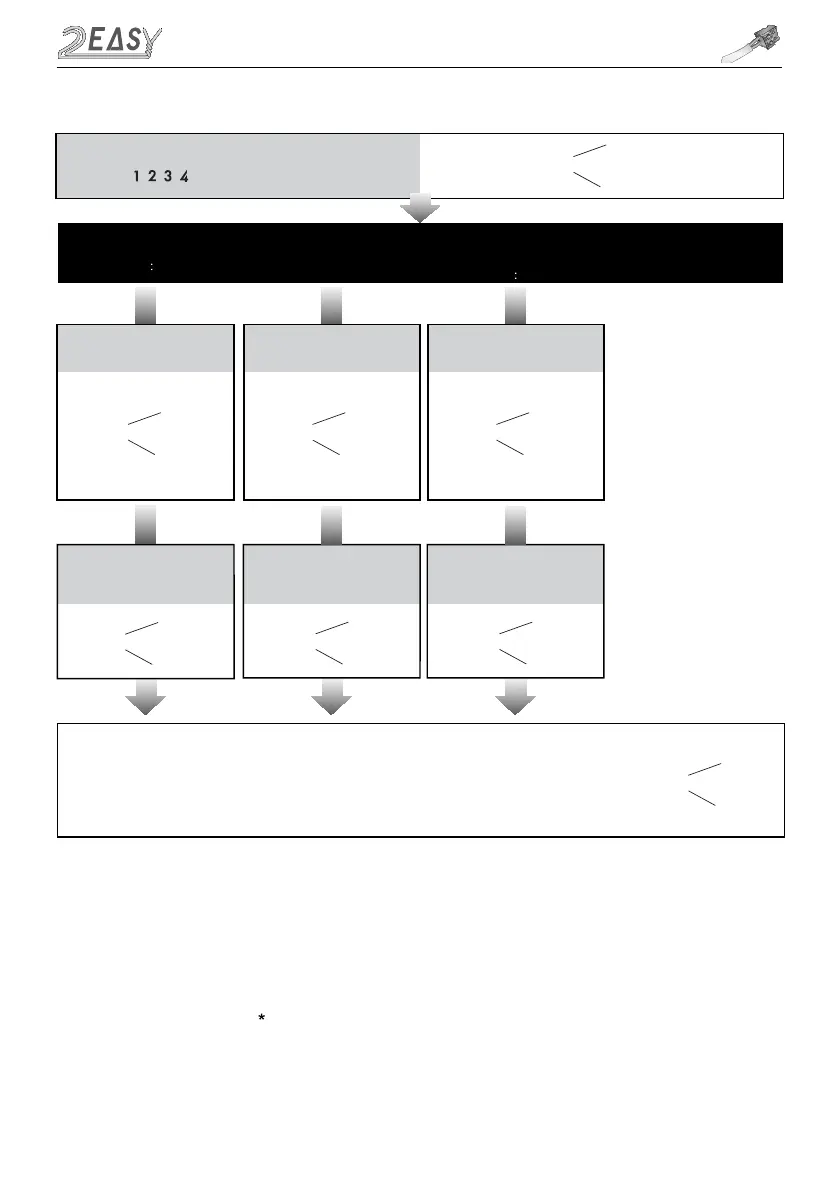
Input the master code.
Default: # #
Beep+, Beep
Beep+
Type in the setting code
9. Call tone setting
08 #
0/1
1 #
Type in 0 or 1
0(enable) / 1(disable)
(Default enable)
-
If set to 0,
ringtone will be present
when
pressing the “CALL” button
- If set to 1, no r
ingtone
when
pressing the “CALL” button
Beep+, Beep
Beep+
10.SPK volume adjust
setting
Type in the setting code Type in the setting code
11 #
Type in range 0~9
5 #
(Default:4)
- Unlock via password is still
available when the door
station i
n
talking
state
- When door station is talking,
you can enter the Master code
(the LED turns white upon that)
to activate the volume adjusting
function:
Speaker adjustment: 3 (up),
6 (down)
Beep+, Beep
Beep+
11.Night light level
setting
13 #
Type in range 0~5
3 #
(Default 4)
- Night Light Level:0~5
-The higher the number, the
brighter the lights
Beep+, Beep
-
When the “ cancel” key is pressed, the indicator will show its standby color, the buzzer beeps
twice
, and the
system exits the setting mode
-
When there isn’t any operation in 10s, the buzzer beeps
twice
, and the system exits the setting mode
Beep, Beep+
*
-
When setting failure, the buzzer beeps
twice
MK MODULE



 To Next Page