2 EASY
-6-
VD MODULE
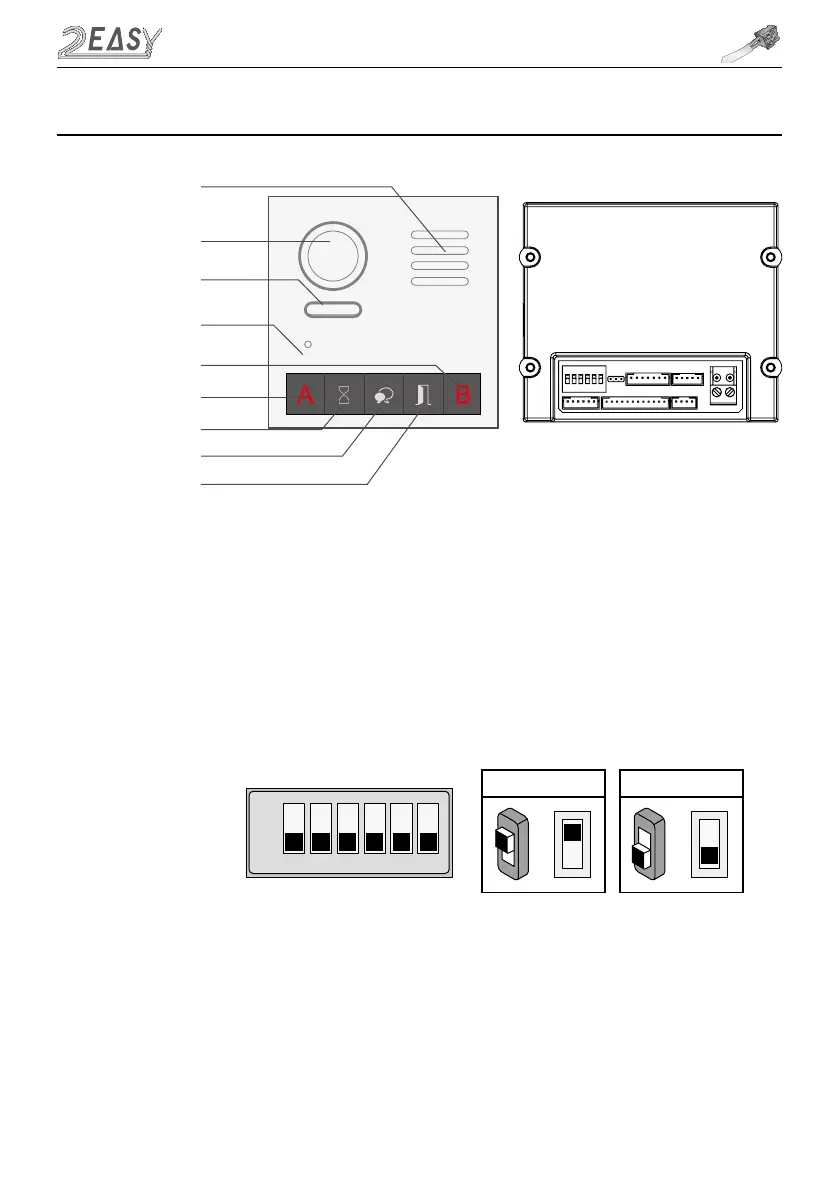
1. DIP Switches Settings
There are 6 DIP-switches on the rear of door station. The switches can be modified either before or
after installation, but restarting the power is needed whenever the switches have been modified
ON(1)
=
OFF(0)
=
ON
ON
ON
1 2 3 4 5 6
• DIP-1 and DIP-2 are for door station ID setting. When multiple door stations are installed, the first
door station address is 00 (default), the second door station address is 01: DIP-2 is On, the third
door station address is 10: DIP-1 in On, the fourth door station address is 11: DIP-1 and DIP-2 are
On
• DIP-3 is for single or double row button door station selection. If the door station is a double row
button, such as DMR21-D8, set this bit to 0. For single row button door station, set to 1
6. VD (VIDEO) Module
Note: Key A and key B can not be seen on the panel, they are cryptic.
Normally, key A and key B are not active. To activate them, flip DIP
switch 6 into On position
Speaker
Camera lens
Night view LED
MIC
Invisible key A
Status indicator
Talk indicator
Unlock indicator
Invisible key B
-5-



 To Next Page