37
Tehnical support
For setting the Apple devices
NOTE: 2IN1. SMART+ APP IS NOT SEEN IN: TAIWAN, CHINA,
USA.
Please do check this:
1. HI VOLUME
Please set your mobile phone to the maximumvolume possible
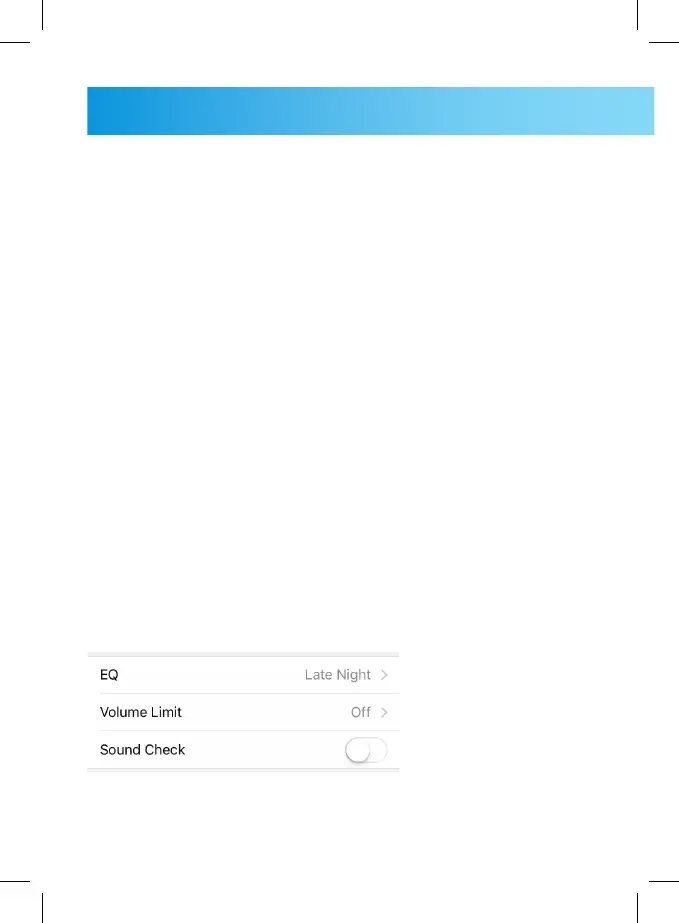
2. EU LIMIT OFF
Check if there is an EU volume limitation on. You can check this
by clicking: settings, music and volume limit. Here you will find
ON/OFF button, please select OFF.
3. Allow 2in1. SMART to access to themicrophone
Please check if your iPhone is allowing 2in1.SMART to use a
microphone. Please click: settings, Privacy, Microphone. You
have to allow this, if there is set to deny.
4. EQUALISER
(Settings > General > Accessibility,) The Equaliser has to be set
to centre or shut down.
NO EQ must be selected (picture shows, that EQ is selected).
5. If you are using protective cover case, takeit o when inserting
the 2in1. SMART device.



 To Next Page