EasyManua.ls Logo

360fly 360FLYBLK - Page 8

360fly 360FLYBLK
40 pages
Print Icon
To Next Page IconTo Next Page
To Previous Page IconTo Previous Page
Loading...
Power
to
fly.
Your
360fly
is
powered
on}
records
and
powers
off with its
One
Push
button. It
also
vibrates to inform
you
of its state.
To
power
on
your
360flyJ
press
and
hold
the
OnePush
button for
~
seconds.
The
camera
will vibrate
three times.
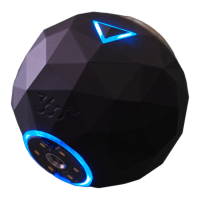
When
the
LED
turns
solid
blue)
the
cameraJs
ready
to
record.
To
record)
use
the control
in
the
app
or
'
press
the
One
Push
button.
The
camera
will vibrate
once
and
the light will turn
red.
Just
remember~
red}s
recording.
To
stop
recording~
press
the
One
Push
button.
The
camera
will
vibrate two
,.
times
and
the light will return
to
blue.
To
power off your
360fly~
press
and
hold
the
OnePush
button for 3
seconds.
.
The
camera
will vibrate 3 times.
LED
states.
Visit 360fly.com/LED to get to
know
the light that lets
you
know
what your
camera}s
doing.
All manuals and user guides at all-guides.com

Other manuals for 360fly 360FLYBLK

Related product manuals